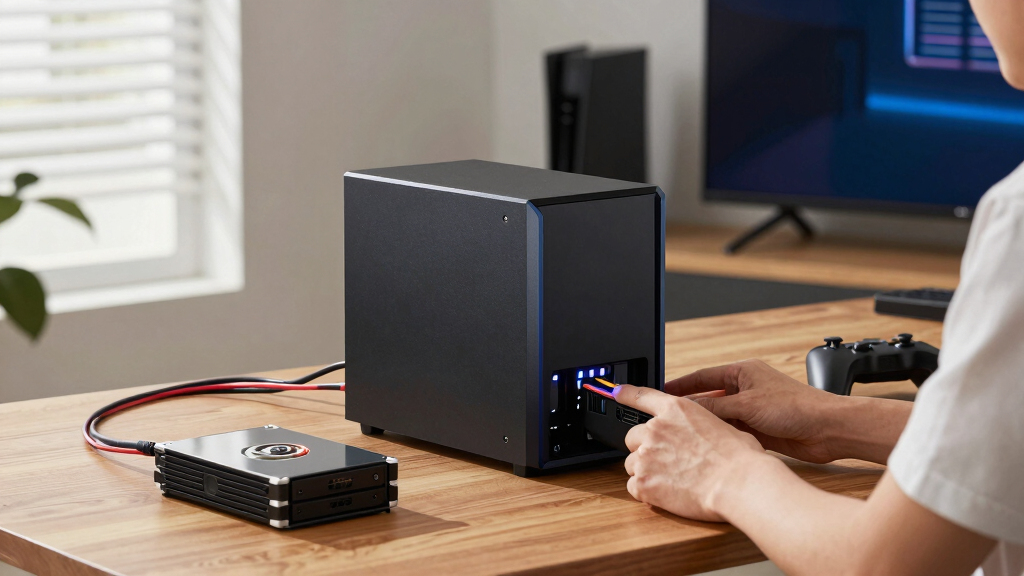

When selecting the best NAS for gaming storage, performance and reliability are key. The top pick, the Asustor AS5402T, offers robust hardware for seamless game and media access. Other standout options, like the Ugreen NAS DXP2800 and MINISFORUM N5 Air, deliver excellent speed and expandability for different budgets. The main tradeoffs involve balancing raw speed, storage capacity, and ease of use—more powerful models often come at a higher price. Continue reading for a detailed breakdown of each option to find the best fit for your gaming setup.
Key Takeaways
- High-performance NAS devices with multi-core CPUs significantly improve gaming and streaming speeds.
- Expandable models with multiple drive bays offer future-proof storage but tend to be more expensive.
- Built-in HDMI and 10GbE ports are valuable for direct gaming or media connection, especially in high-end setups.
- Entry-level NAS options are suitable for casual gamers but may lack sufficient speed for heavy multitasking.
- Power consumption and noise levels vary; quieter, energy-efficient models suit home environments better.


More Details on Our Top Picks
Asustor AS5402T, 2 Bay NAS, Intel Quad-Core 2.0GHz CPU, 4X M.2 NVMe SSD Slots, 2×2.5GbE Ports, 4GB DDR4 RAM, Cloud Storage for Gaming and Live Stream, Diskless
This Asustor AS5402T stands out for its combination of quad-core processing, multiple NVMe SSD slots, and dual 2.5GbE ports, making it an excellent choice for gamers who want reliable, fast network storage alongside streaming and media server capabilities. Compared with the BUFFALO LinkStation 210, which offers simple storage with HDDs included, the AS5402T provides much higher performance and expandability, though it involves a steeper learning curve and a higher price point. The inclusion of M.2 NVMe slots allows for caching that can significantly improve game load times and media access, a feature absent in most budget options. However, its software can be somewhat complex for beginners, and the 4GB RAM may limit high-demand multitasking over time. This pick makes the most sense for experienced gamers and streamers seeking a flexible, powerful NAS that can handle multiple data-intensive tasks simultaneously.
- Quad-core Intel Celeron N5105 CPU
- 4 NVMe M.2 SSD slots for caching
- Dual 2.5GbE ports with link aggregation
- 4GB DDR4 RAM
- Supports Wake on LAN/WAN
- Stylish, thermal-efficient metal enclosure
Tradeoffs include a higher price and a more involved setup compared to simpler, preconfigured NAS devices.
Pros:- High expandability with 4 M.2 NVMe slots for caching
- Dual 2.5GbE ports for fast network connectivity with link aggregation
- Powerful quad-core Intel CPU suitable for multitasking
Cons:- Requires more technical knowledge to set up and optimize
- Limited RAM for heavy multitasking or future expansion
Best for: Advanced gamers and streamers who need a versatile NAS for gaming, streaming, and media hosting.
Not ideal for: Beginners or users seeking plug-and-play storage without configuration complexity.
- Processor:Intel Quad-Core N5105 2.0GHz
- Memory:4GB DDR4
- Network Ports:2×2.5GbE
- NVMe Slots:4
- Form Factor:2-bay
- Supports Wake on LAN/WAN:Yes
Bottom line: Ideal for experienced users who want a flexible, high-performance NAS capable of gaming, streaming, and heavy multitasking.
BUFFALO LinkStation 210 4TB 1-Bay NAS Network Attached Storage with HDD Hard Drives Included
This BUFFALO LinkStation 210 offers a straightforward, plug-and-play solution with 4TB of included HDD storage, making it suitable for users who want reliable backup or media sharing without fuss. Unlike the Seagate BarraCuda internal HDD, which is purely a drive component, the LinkStation provides a ready-to-use networked storage device ideal for home use. Its simple setup process and built-in HDD make it perfect for users with limited technical skills, and Buffalo’s support adds peace of mind. However, with only a single drive bay and no RAID options, it lacks redundancy and scalability for future needs. This device makes sense for families or casual users needing basic network sharing and backup, not for heavy gaming or enterprise use.
- Includes 4TB HDD pre-installed
- Simple setup with minimal configuration
- Supports basic network sharing and backup
- Plug-and-play with Windows and macOS
Tradeoffs involve limited scalability and absence of RAID for data redundancy, making it less suitable for critical or expanding storage needs.
Pros:- HDD included for immediate use
- Easy setup and user-friendly management software
- Supports Windows and macOS
Cons:- Limited to 1 drive bay, no RAID redundancy
- Lower performance compared to multi-bay or SSD-based NAS
Best for: Home users or families seeking easy, affordable network storage and backup.
Not ideal for: Power users or gamers requiring high-speed, scalable NAS with RAID support.
- Capacity:4TB (HDD included)
- Number of Bays:1
- Connectivity:Network Ethernet
- Form Factor:Desktop
- Supports RAID:No
- Supported OS:Windows, macOS
Bottom line: Best suited for simple, cost-effective home storage, not demanding gaming or large-scale data management.
MINISFORUM N5 Air 5-Bay Desktop NAS, AMD Ryzen 7 255(8C/16T) CPU, Barebone, 64GB SSD, 1x 10GbE, 1x 5GbE, 3x M.2 Slots, PCIe x16 Slot, Network Attached Storage
The MINISFORUM N5 Air offers extraordinary processing power with an AMD Ryzen 7 255 CPU, up to 174TB storage capacity, and multiple high-speed network ports, making it perfect for demanding users who want a NAS that doubles as a mini PC. Unlike the Seagate BarraCuda drives, which are internal HDDs, the N5 Air provides a comprehensive platform with support for RAID, extensive storage, and even GPU expansion via PCIe x16, catering to power users, content creators, or AI developers. Its 5-bay design supports large-scale storage, and the inclusion of 64GB SSD and 96GB RAM options ensures future-proof multitasking. The main tradeoff is its complexity: setup and maintenance require technical know-how, and its high cost reflects its advanced capabilities. This device makes sense for professionals needing a robust, expandable NAS with desktop-class performance.
- AMD Ryzen 7 255 CPU (8C/16T)
- Up to 174TB total storage capacity
- 1x 10GbE and 1x 5GbE ports with link aggregation
- Supports RAID 0/1/5/6/Z1/Z2
- 3x M.2 NVMe slots + PCIe x16 expansion
- Up to 96GB DDR5 RAM support
Tradeoffs include high cost, complexity, and the need for user expertise for setup and upgrades.
Pros:- Enormous storage capacity with RAID support
- Powerful AMD Ryzen 7 CPU for multitasking and AI workloads
- Multiple high-speed network ports with link aggregation
Cons:- Complex setup requiring technical knowledge
- High price point for the hardware and expandability features
Best for: Power users, content creators, and IT professionals needing maximum storage and performance.
Not ideal for: Beginners or users seeking simple, out-of-the-box NAS solutions for basic storage.
- Processor:AMD Ryzen 7 255 (8C/16T)
- Maximum Storage:174TB
- Network Ports:10GbE and 5GbE with link aggregation
- M.2 Slots:3
- Support for RAM:Up to 96GB DDR5
- Form Factor:Desktop NAS
Bottom line: Ideal for advanced users who need a flexible, high-performance NAS with extensive storage and processing power.
Seagate BarraCuda 8 TB Internal Hard Drive HDD – 3.5 Inch SATA 6 Gb/s, 5,400 RPM, 256 MB Cache for Desktop PC
The Seagate BarraCuda 8TB HDD provides high-capacity storage with reliable performance for desktop PCs, making it a solid choice for users who need mass storage for media libraries or backups. Unlike NAS-specific drives, this internal HDD is best suited for direct-attached storage rather than networked environments. Its 5400 RPM speed is adequate for storage and backup tasks but slower than 7200 RPM drives, which affects access times for frequently used data. The 256MB cache helps improve transfer speeds somewhat, but overall, it’s not designed for high-demand gaming or real-time data access. For comparison, the Samsung 990 EVO Plus SSD offers much faster performance but at a higher cost per GB. This drive is best for budget-conscious users who prioritize capacity over speed and can accept slower data access.
- 8TB capacity for extensive storage needs
- SATA 6Gb/s interface
- 256MB cache for improved throughput
- Reliable 2-year limited warranty
- Quiet operation for mechanical drives
Tradeoffs include slower speeds and lack of advanced features like SSD caching or RAID support, making it unsuitable for gaming or high-performance tasks.
Pros:- High capacity at an affordable price
- Reliable Seagate BarraCuda series quality
- Quiet operation for a mechanical HDD
Cons:- Relatively slow at 5400 RPM, affecting access times
- Not designed for networked or NAS environments
Best for: Budget-conscious users needing large capacity for backups or media storage.
Not ideal for: Gamers or performance-focused users requiring fast data access and low latency.
- Capacity:8TB
- Form Factor:3.5-inch
- Speed:5400 RPM
- Cache:256MB
- Interface:SATA 6Gb/s
- Warranty:2 years
Bottom line: Best for large, economical storage solutions where speed is less critical than capacity.
Samsung 990 EVO Plus SSD 2TB, PCIe Gen 4×4, Gen 5×2 M.2 2280, Speeds Up-to 7,250 MB/s, Upgrade Storage for PC/Laptops, HMB Technology and Intelligent Turbowrite 2.0
The Samsung 990 EVO Plus 2TB delivers cutting-edge PCIe Gen 4×4 and Gen 5×2 speeds, with sequential read/write up to 7,250/6,300MB/s, making it ideal for gamers and professionals who need fast load times and quick data transfer. Compared with the Asustor AS5402T, which is a NAS-oriented device with expandability, this SSD is a high-performance upgrade for laptops or desktops that demand instant responsiveness, especially during gaming or large file editing. Its advanced HMB technology and thermal management keep the drive cool under heavy workloads, reducing thermal throttling. While its primary focus is on speed, the 2TB capacity may be limiting for large media libraries unless paired with additional drives. This SSD makes the most sense for users prioritizing speed in gaming, content creation, or high-end workstation tasks.
- Sequential read/write speeds up to 7,250/6,300MB/s
- Supports PCIe 4.0 and 5.0 interfaces
- HMB technology for better thermal control
- Large 2TB capacity
- Intelligent Turbowrite 2.0 for sustained performance
Tradeoffs include a higher cost per GB and limited capacity compared to larger HDDs or multi-drive NAS setups.
Pros:- Exceptional sequential read/write speeds
- Supports latest PCIe 4.0 and 5.0 standards
- Advanced thermal management for sustained high performance
Cons:- Limited capacity at 2TB for large media collections
- Higher price per GB compared to HDDs
Best for: Gamers and professionals needing ultra-fast storage for demanding applications.
Not ideal for: Users seeking massive storage or budget-friendly bulk capacity solutions.
- Capacity:2TB
- Interface:PCIe Gen 4×4 / Gen 5×2
- Sequential Speeds:up to 7,250MB/s
- Form Factor:M.2 2280
- Technology:HMB, TurboWrite 2.0
- Supported Protocols:PCIe 4.0/5.0
Bottom line: Perfect for speed-critical gaming and workstation tasks, but not for massive storage needs.
DARKROCK Classico Storage Master ATX NAS Computer Case Mid Tower with 4x120mm Fans, USB 3.0 Ready 10 x3.5” HDD+3 x2.5” SSD 360mm Supported on Top & Front Radiator GPU Vertically Mounting Black
This case stands out for its exceptional drive capacity support, accommodating up to 13 drives, making it ideal for a custom NAS setup on a budget. Compared with the BUFFALO LinkStation 210, which is more straightforward but limited in expansion, this case offers greater flexibility and room for future upgrades. The mesh front and side panels promote excellent airflow, critical for keeping multiple drives cool during extended use. However, its metal is somewhat thin, leading to potential durability concerns, and sharp edges may require careful handling. It’s perfect for DIY enthusiasts wanting a cost-effective, high-capacity NAS chassis, but less suited for those seeking a sleek, plug-and-play solution.
Pros:- Supports up to 13 drives for extensive storage expansion.
- Excellent airflow design for cooling multiple HDDs.
- roomy interior for full-size components and GPU mounting.
Cons:- Metal is thin and may feel fragile or sharp in spots.
- Lacks pre-installed drive management features or software.
Best for: Hobbyists and small business owners building a custom NAS with high drive capacity on a budget.
Not ideal for: Users preferring a ready-to-go, minimal setup NAS without custom hardware assembly.
- Supported Motherboard:ATX, Micro-ITX, Mini-ITX
- Case Type:Full Tower
- Power Supply Mounting:Rear
- Cooling Method:Air, Water
- Fan Size:120mm
- Internal Bays:13 x 3.5″, 3 x 2.5″
Bottom line: This case is ideal for DIYers seeking a high-capacity, customizable NAS chassis at an affordable price.
Seagate BarraCuda 2TB Internal Hard Drive HDD – 3.5 Inch SATA 6Gb/s 7200 RPM 256MB Cache – Frustration Free Packaging (ST2000DM008/ST2000DMZ08)
This drive makes the most sense for users needing reliable, large-capacity internal storage, especially as a secondary drive alongside a faster SSD. It offers a solid balance of capacity, speed, and affordability, outperforming smaller drives and providing a good value for gamers or NAS users who prioritize storage over speed. Compared to the WD Elements 6TB external drive, it’s more suitable for internal use due to its interface and performance characteristics. The 7200 RPM speed ensures decent data transfer rates, but it’s not as fast as SSDs, and its mechanical nature means it’s more prone to wear over time. Still, its reliability and straightforward setup make it a strong choice for bulk storage needs.
Pros:- High 2TB capacity for media, backups, or game libraries.
- Reliable SATA 6Gb/s interface with 7200 RPM speeds.
- Affordable price point with proven Seagate durability.
Cons:- Mechanical drive with higher power consumption and noise.
- Slower than SSD options for active system drives or gaming.
Best for: Gamers and small NAS users needing large, dependable internal drive storage as a secondary or backup disk.
Not ideal for: Users requiring high-speed access or primary OS drives, where SSDs are better suited.
- Capacity:2TB
- Interface:SATA 6Gb/s
- RPM:7200
- Cache:256MB
- Form Factor:3.5 inch
- Warranty:2-year limited
Bottom line: This HDD is a reliable, cost-effective option for expanding storage in gaming or NAS setups that don’t demand top-tier speed.
Western Digital 10TB Elements Desktop External Hard Drive, USB 3.0 external hard drive for plug-and-play storage – WDBWLG0100HBK-NESN
This external drive excels for users who need large, portable storage with plug-and-play simplicity, making it perfect for backing up game libraries or media across multiple devices. It’s comparable in capacity to the Seagate 10TB but offers WD’s renowned reliability and a sleek, durable enclosure. While it’s a fantastic choice for easy, fast data transfers (up to 113 MB/sec), it’s limited by its external form factor and lacks the internal expansion options of a dedicated NAS case. Its straightforward USB connection makes it ideal for quick, mobile storage, but it’s not designed for continuous use or network sharing like a NAS.
Pros:- Large 10TB capacity in a portable design.
- Easy plug-and-play with USB 3.0 support.
- Reliable WD quality and build.
Cons:- External, not suitable for network sharing without additional hardware.
- Limited to USB connection, less flexible than NAS solutions.
Best for: Gamers, content creators, or users needing portable, high-capacity storage for multiple devices.
Not ideal for: Those looking for a more permanent or network-based storage solution for home NAS or media servers.
- Capacity:10TB
- Connection:USB 3.0
- Form Factor:External, portable
- Speed:Up to 113 MB/sec
- Enclosure Material:Aluminum/Glass
- Warranty:2-year limited
Bottom line: This drive is perfect for portable, high-volume storage, but less ideal for a dedicated, always-on NAS setup.
Western Digital 6TB Elements Desktop External Hard Drive, USB 3.0 external hard drive for plug-and-play storage – WDBWLG0060HBK-NESN
This 6TB external drive is a reliable, cost-effective option for gamers and home NAS users who need dependable large capacity without network complexity. It offers WD’s trusted quality and a simple USB 3.0 connection, suitable for quick backups and media storage. While it’s not as fast as SSDs or higher-end NAS drives, its consistent performance and straightforward setup make it an excellent choice for users who prioritize ease of use and capacity. Compared with the WD 10TB model, it’s slightly more portable but offers less space, making it ideal for more modest storage needs.
Pros:- Solid 6TB capacity for backups and media files.
- Plug-and-play simplicity with USB 3.0.
- WD’s durable build and reputation.
Cons:- Limited to external USB connection, not a networked solution.
- Speed is moderate, not suitable for high-performance tasks.
Best for: Home users and gamers needing a large, reliable external storage device for backups and media.
Not ideal for: Users requiring network access or high-speed data transfers for active workloads.
- Capacity:6TB
- Connection:USB 3.0
- Form Factor:External desktop
- Speed:Up to 113 MB/sec
- Enclosure Material:Aluminum/Glass
- Warranty:2-year limited
Bottom line: This external drive offers dependable, moderate-capacity storage for everyday use, but isn’t a substitute for NAS or SSD solutions.
Rosewill Thor NAS – Full Tower Workstation Case | Supports up to 11 3.5″ HDD or 13 2.5″ SSD | E-ATX Compatible
This full-tower chassis from Rosewill stands out for its enormous storage potential, supporting up to 11 3.5″ HDDs or 13 SSDs, making it ideal for users who need maximum storage density. Compared with the BUFFALO LinkStation 210, which is preconfigured with 2TB, this case offers unmatched expandability for DIY enthusiasts and enterprise-level setups. The case’s support for E-ATX motherboards and long expansion cards provides flexibility for custom hardware, but this also means it’s bulky and requires significant space. The streamlined airflow and included PWM fan help manage heat during heavy workloads, though the setup process involves more effort than plug-and-play options. This case is perfect for advanced users who want to tailor their NAS hardware but less suitable for those seeking a simple, compact solution.
Pros:- Supports up to 11 HDDs or 13 SSDs, maximizing storage density
- Compatible with E-ATX motherboards for advanced configurations
- Optimized cooling with a PWM fan and airflow design
Cons:- Very large and heavy, demanding significant physical space
- Requires technical knowledge for assembly and setup
Best for: DIY NAS builders and enterprise users needing extensive storage options and custom hardware.
Not ideal for: Casual or home users wanting a ready-to-use, compact NAS that requires minimal setup.
- Supported Motherboard:Extended ATX
- Case Type:Full Tower
- Power Supply Mounting:Bottom
- Cooling Method:Air
- Total USB 3.0 Ports:2
- Hard Disk Form Factor:3.5 Inches
- Internal Bays Quantity:24
- Maximum Expansion Card Length:400mm
Bottom line: This case makes the most sense for experienced builders who need high-capacity, customizable NAS hardware.
BUFFALO LinkStation 210 2TB 1-Bay NAS Network Attached Storage with HDD Hard Drives Included
This 2TB single-bay NAS from Buffalo offers a simple, plug-and-play solution ideal for small households or basic backups. Compared to the Rosewill Thor’s massive capacity, it’s limited in storage but excels in ease of use, making it a good choice for beginners. The included HDD simplifies setup, and its RAID support provides data redundancy for peace of mind. While not suitable for large-scale or high-performance needs, it’s reliable for everyday file sharing and backup tasks. Its simple design and US-based support make it accessible for users who prioritize straightforward operation over extensive customization. However, its limited capacity and slower performance compared to multi-bay or more advanced models restrict its scalability.
Pros:- Includes HDD with 2TB capacity for immediate use
- Simple setup with support for Windows and macOS
- RAID support for data redundancy
Cons:- Limited to a single 2TB drive, not expandable
- Basic performance, not suited for intensive tasks
Best for: Home users seeking an affordable, easy-to-set-up NAS for basic storage and backup.
Not ideal for: Power users or gamers requiring high performance or large storage capacity.
- Capacity:2TB
- Number of Bays:1
- Supported OS:Windows and macOS
- RAID Support:Yes
- Form Factor:Desktop
- Support & Warranty:24/7 US-based support, 2 years
Bottom line: This NAS is a solid choice for budget-conscious users who want a straightforward home cloud solution.
BUFFALO LinkStation SoHo 220 2-Bay Personal Cloud Office NAS 12TB (2x6TB) with Hard Drives Included
This 12TB dual-bay NAS from Buffalo combines solid data security with RAID redundancy, making it ideal for small businesses or home office environments. Unlike the 2TB single-bay Buffalo model, the SoHo 220 offers more flexible capacity and RAID 1 for data protection, though it’s still limited compared to the Rosewill case’s capacity for large-scale setups. Its support for macOS and Windows, along with 24/7 US-based support, makes it accessible for users who need reliable, centralized storage without complex configuration. However, its performance may lag behind high-end models like the MINISFORUM N5 Air, especially for heavy multi-user tasks, and it’s not suitable for large-scale enterprise deployments. It excels in data safety and ease of use for small teams.
Pros:- Includes 12TB total with RAID 1 for data protection
- Easy setup with support for multiple OS
- Secure data transfer with SSL encryption
Cons:- Limited to 2 bays, not scalable for large storage needs
- Performance may be insufficient for intensive multi-user access
Best for: Small offices or home users needing reliable, RAID-enabled storage with included drives.
Not ideal for: Enthusiasts or gamers looking for high-performance, large-capacity NAS solutions.
- Total Capacity:12TB
- Number of Bays:2
- RAID Support:Yes
- OS Compatibility:Windows and macOS
- Support & Warranty:24/7 US support, 3 years
- Connectivity:Fast Ethernet
Bottom line: This NAS provides reliable, secure storage ideal for small offices or home setups prioritizing data safety.
MINISFORUM N5 Air 5-Bay Desktop NAS with up to 174 GB Storage, AMD Ryzen 7 255 (8C/16T) CPU, Dual DDR5 RAM Slots
This powerful desktop NAS from MinisForum features an AMD Ryzen 7 255 CPU, supporting up to 174TB of storage and dual DDR5 RAM slots for up to 96GB. Compared to the Buffalo or Rosewill options, the N5 Air targets users who need high-speed multi-user access, video editing, or AI tasks, offering multiple 8K video outputs and 10GbE networking for exceptional performance. Its modular design and PCIe expansion allow for future upgrades, making it suitable for demanding environments. However, its complexity and higher price point make it less ideal for casual users or small-scale home storage. The extensive features cater to professionals, content creators, and enterprise environments, but might be overkill for standard gaming storage needs.
Pros:- Supports up to 174TB storage with flexible M.2 and SATA slots
- Powerful AMD Ryzen 7 CPU with multi-core processing
- Supports 8K video output and multiple high-speed network interfaces
Cons:- Complex setup and maintenance, requiring technical expertise
- Higher cost compared to simpler NAS devices
Best for: Power users, content creators, and small enterprises requiring high bandwidth, large capacity, and advanced features.
Not ideal for: Home users or gamers seeking a simple, plug-and-play NAS with moderate capacity.
- Maximum Storage:174TB
- Processor:AMD Ryzen 7 255
- RAM Support:Up to 96GB DDR5
- Networking:Dual 10GbE and 5GbE
- Video Output:Triple 8K HDMI/USB4
- Expansion Slots:PCIe x16
- Form Factor:Desktop
Bottom line: This NAS makes the most sense for professionals and power users who need maximum performance and expandability for demanding tasks.
How We Picked
Our evaluation focused on performance, expandability, and usability specific to gaming storage needs. We prioritized models with fast read/write speeds, multi-drive support, and reliable network interfaces to ensure smooth gameplay and media streaming. Ease of setup and maintenance also played a role, especially for users new to NAS systems. The ranking reflects a balance of value and features, with higher-ranked devices offering a more comprehensive gaming storage experience at a reasonable price. We also considered build quality and future-proofing to help gamers choose options that remain relevant over time.
Factors to Consider When Choosing Best Nas For Gaming Storage
Choosing the best NAS for gaming storage involves more than just raw specs. Consider how much storage you need now and in the future, how easy the device is to set up, and what additional features can enhance your gaming experience. A well-chosen NAS can serve as a central hub for game backups, media streaming, and even direct gaming connections. Here are key factors to guide your decision:Performance and Speed
Look for NAS devices equipped with high-speed CPUs and multiple gigabit or 10GbE ports. These ensure that game files load quickly and streaming is smooth, especially if you host game servers or stream content directly from your NAS. Models with SSD compatibility or M.2 slots can boost performance further, reducing lag during gameplay. Skimping on speed can lead to frustrating delays and buffering, particularly with large game files or high-quality media streams.
Drive Bays and Expandability
More drive bays mean greater storage capacity and options for RAID configurations, which enhance redundancy and data security. If you anticipate growing your game library or storing large media files, choose a model with at least 2-4 bays. For future-proofing, consider systems that support hot-swapping drives or expandable storage via external ports. However, keep in mind that larger, more expandable models tend to cost more and may require more setup effort.
Connectivity Features
Ports like 10GbE or multi-gigabit Ethernet are critical for minimizing latency and maximizing data transfer speeds, especially in local network gaming. HDMI outputs can be a bonus, allowing direct connection to monitors or TVs for media playback. USB ports, including USB 3.2 or USB-C, support quick backups and peripheral connections. Prioritize models with versatile connectivity to match your specific gaming and media requirements.
Ease of Use and Setup
An intuitive interface and straightforward setup process save time and reduce frustration, especially for newcomers. Features like pre-installed drives, user-friendly apps, and clear documentation make managing your NAS easier. Also consider the availability of active user communities or customer support. If you’re less experienced, a more plug-and-play device might be worth the extra investment to avoid technical headaches later.
Noise and Power Consumption
Since a NAS for gaming often sits in a living or gaming room, noise levels are a factor. Look for models with efficient cooling and quiet fans. Energy consumption matters if you plan to run the device 24/7—lower power models save on electricity and reduce heat output. These factors contribute to a more comfortable gaming environment without sacrificing performance.
Frequently Asked Questions
Can I use a regular external hard drive instead of a NAS for gaming storage?
While an external hard drive is a simple and affordable option for expanding storage, it lacks the network capabilities of a NAS. A NAS provides centralized access, multi-user support, and better data management, making it more suitable for gaming setups involving multiple devices or streaming media. External drives are best for quick, portable backups or single-device use, but they don’t offer the same flexibility or scalability as a dedicated NAS system.
Is it worth paying extra for a NAS with SSD compatibility for gaming?
Absolutely. SSD support in a NAS can dramatically improve load times and reduce lag, especially if you’re hosting game servers or streaming large media files. While SSD-compatible NAS devices tend to cost more upfront, the performance gains can justify the investment for serious gamers. It’s also a good way to future-proof your setup as SSD prices continue to decline and game sizes grow larger.
How much storage do I really need for gaming and media storage?
This depends on your gaming habits and media collection. A typical gamer might need 2-4TB for installed games and streaming media, but heavy users with large libraries or 4K media might require 8TB or more. It’s wise to choose a NAS with room to expand or add drives later, ensuring your storage keeps pace with your needs without requiring an immediate upgrade.
Are higher-priced NAS models worth it for gaming purposes?
Higher-priced models often include faster CPUs, more RAM, better network interfaces, and additional features like HDMI output or multi-gig Ethernet. If your gaming setup demands high performance, hosting multiple game servers, or streaming 4K media, investing in a premium NAS can deliver noticeable benefits. For casual gaming, a mid-range device usually offers sufficient speed and capacity at a better value.
What should I prioritize: speed or storage capacity?
It’s a balancing act. If you frequently play large, high-resolution games or stream media, prioritize speed with SSD support and fast network interfaces. If your main concern is storing a large collection of games and backups, focus on drive bays and expandable capacity. Ideally, choose a system that offers enough of both to meet your current needs while leaving room for growth.
Conclusion
For most gamers, the Asustor AS5402T stands out as the best overall choice, combining speed, expandability, and user-friendly features. The Ugreen NAS DXP2800 offers excellent value for those who want a balance of performance and affordability, while the MINISFORUM N5 Air is ideal for enthusiasts who need high-end specs and future-proofing. Beginners or casual users should lean toward simpler, plug-and-play options like the BUFFALO LinkStation 210. More demanding setups, such as those involving hosting game servers or streaming in 4K, benefit from investing in premium models with advanced connectivity. Ultimately, your choice depends on your specific storage needs, performance expectations, and budget.