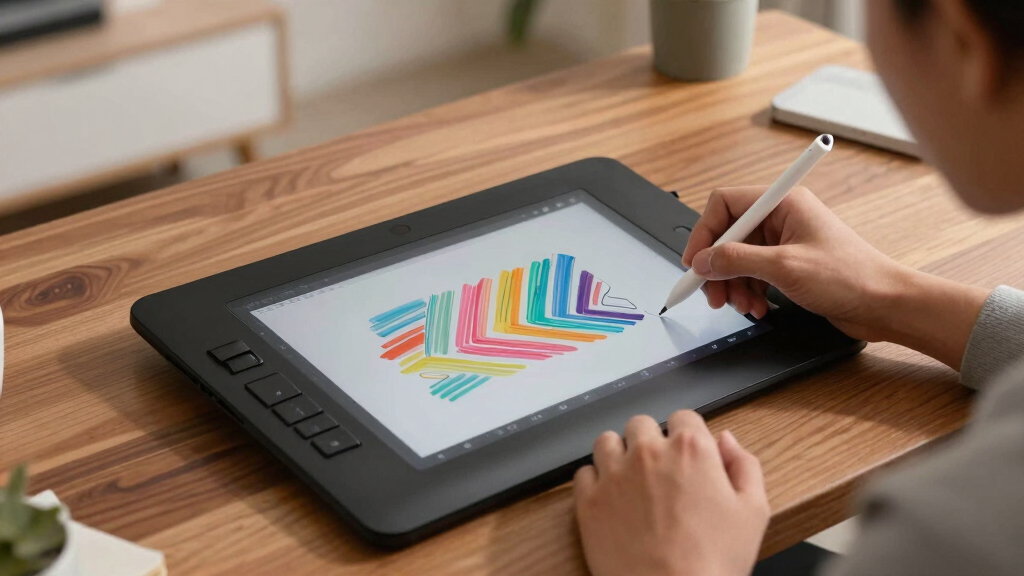
For artists seeking the best drawing display tablets in the premium segment, this category combines high-end build quality, advanced features, and exceptional color accuracy. The XP-PEN Artist12 stands out as the best overall choice for its balanced performance and affordability, while the HUION Kamvas 13 (Gen 3) offers a compact, highly capable option for portability. Buyers often face tradeoffs between screen size, color fidelity, and price, making it crucial to understand what features matter most for their workflow. Continue reading to see how each model compares and find the best fit for your creative needs.
Key Takeaways
- The best premium drawing tablets combine high color accuracy with robust pen technology, but size and portability vary significantly.
- Price often correlates with features like larger screens, higher resolution, and advanced ergonomics, yet some compact models deliver comparable performance.
- Dual-dial controls and full-laminated screens are common high-end features that enhance workflow, but not all models include them.
- While all models support high-pressure sensitivity, the quality of glass and build influences durability and drawing precision.
- Choosing between models often comes down to balancing budget with desired features like size, color range, and connectivity options.




More Details on Our Top Picks
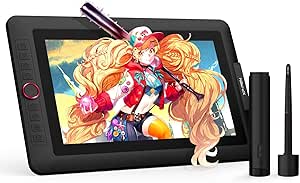
XP-PEN Artist12 11.6 Inch FHD Drawing Monitor Pen Display Graphic Monitor with PN06 Battery-Free Multi-Function Pen Holder and Glove 8192 Pressure Sensitivity
This compact yet feature-rich drawing monitor stands out for its affordability and compatibility, making it a top choice for artists seeking a reliable pen display without breaking the bank. Compared to the HUION Kamvas 13 (Gen 3), it offers similar screen resolution and color quality but at a more accessible price point. The setup process, while straightforward, can be cumbersome initially, especially with driver calibration and cable management, which might challenge beginners or less tech-savvy users. Its 8192 pressure levels and battery-free stylus deliver precise control, suitable for detailed work and professional projects. The included accessories, such as the multi-function pen holder and glove, add practical value. However, the monitor’s refresh rate and color accuracy, though sufficient for most tasks, do not match higher-end models like the HUION Kamvas Pro 16, and some users may experience occasional driver issues. This monitor makes the most sense for artists and students who want a reliable, portable display that balances performance with cost.
Pros:- Excellent value with a large, vivid 11.6-inch HD IPS display
- 8192 pressure sensitivity levels for detailed strokes
- Battery-free stylus with a comfortable grip and multi-function eraser
- Pre-installed anti-reflective screen protector for glare reduction
Cons:- Initial setup can be cumbersome with driver calibration and cable management
- Limited color accuracy compared to higher-end models like the HUION Kamvas Pro 16
Best for: Digital artists, students, or hobbyists needing an affordable, portable pen display compatible with multiple softwares.
Not ideal for: Professional illustrators requiring the highest color fidelity and advanced features or those who dislike setup complexities.
- Display Size:11.6 inches
- Resolution:1920×1080
- Color Gamut:72% NTSC (100% sRGB)
- Pressure Sensitivity:8192 levels
- Operating System Compatibility:Windows, Mac, Linux
- Connectivity:HDMI, USB-A
- Weight:907 grams
- Active Area:11.6 inches
Bottom line: Ideal for artists and students looking for an affordable, versatile pen display that balances performance and price.
HUION Kamvas 13 (Gen 3) Drawing Tablet with Screen, 13.3″ Full-Laminated Art Tablet with Anti-Sparkle Canvas Glass 2.0, 99% sRGB, PenTech 4.0, 16384 Pen Pressure, Dual Dial for PC, Mac, Android, Pink
This model makes a strong impression for its excellent color accuracy and advanced features, perfect for professional illustrators and designers. Compared with the XP-PEN Artist12, it offers a larger 13.3-inch fully laminated screen with 99% sRGB coverage, ensuring vibrant, true-to-life colors. Its PenTech 4.0 stylus with 16,384 pressure levels provides a natural drawing experience, rivaling more expensive options like the HUION Kamvas Pro 16. The dual dials and programmable shortcut keys streamline workflow, especially for complex projects. The factory calibration and full lamination reduce parallax and improve precision, although the setup could be intimidating for absolute beginners due to its multiple features and calibration processes. The device’s weight (865 grams) and slim profile support on-the-go use, but some may find the price slightly higher for their needs. This tablet suits professional artists and serious hobbyists who prioritize color accuracy, workflow efficiency, and screen quality.
Pros:- Vivid 13.3-inch laminated display with 99% sRGB coverage
- 16384 pressure levels and PenTech 4.0 for natural strokes
- Dual dials and 8 customizable shortcut keys for workflow enhancement
- Factory-calibrated with full lamination for minimal parallax
Cons:- Higher price point may be a barrier for casual users
- Setup and calibration can be complex for first-time users
Best for: Professional illustrators, animators, or designers needing high color fidelity and advanced control features.
Not ideal for: Beginners or casual artists who prefer a simpler, plug-and-play device without extensive customization options.
- Display Size:13.3 inches
- Resolution:1920×1080
- Color Gamut:99% sRGB
- Pressure Sensitivity:16,384 levels
- Connectivity:USB-C, HDMI
- Weight:865 grams
- Active Area:293.8 × 165.2 mm
- Compatibility:Windows, Mac, Android, Linux
Bottom line: Best suited for professional artists and designers demanding high color accuracy and a feature-rich workflow.
HUION Kamvas 13 (Gen 3) Drawing Tablet with Screen, 13.3-inch Full-Laminated Art Tablet with Anti-Sparkle Canvas Glass 2.0, 99% sRGB, PenTech 4.0, 16384 Pen Pressure, Dual Dials for Digital Art, Black
This iteration of the Kamvas 13 emphasizes workflow efficiency through dual dials and a compact, high-quality display, making it ideal for creative professionals. It shares many features with the Pink version but adds a more neutral, studio-ready design. The 13.3-inch fully laminated screen with 99% sRGB ensures excellent color accuracy and minimal parallax, comparable to the Huion Artist 13.3 Pro. The dual dials and five shortcut keys allow for quick adjustments, streamlining complex projects and creative processes. Its full lamination and battery-free stylus with 16,384 pressure levels enable precise, natural strokes. While the setup is straightforward, some users may find the abundance of features slightly overwhelming initially. The weight of 1.89 kg makes it less portable but excellent for dedicated workspace setups. This device is perfect for creatives who value workflow customization and color fidelity in a portable form.
Pros:- Full-laminated 13.3-inch display with vibrant 99% sRGB coverage
- Dual dials and 8 shortcut keys for customizable workflow
- 16384 pressure levels and tilt support for natural strokes
- Supports multiple OS including Windows, Mac, Android, Linux
Cons:- Heavier weight (1.89 kg) makes it less portable for on-the-go artists
- Complex feature set may require a learning curve for new users
Best for: Artists, illustrators, and designers seeking a portable, feature-rich tablet with workflow-enhancing controls.
Not ideal for: Beginners or those who prefer simple devices with minimal setup or additional controls.
- Display Size:13.3 inches
- Resolution:1920×1080
- Color Gamut:99% sRGB
- Pressure Sensitivity:16,384 levels
- Connectivity:USB-C, HDMI
- Weight:1.89 kg
- Active Area:293.8 × 165.2 mm
- Compatibility:Windows, Mac, Android, Linux
Bottom line: Great for artists who want a portable yet highly customizable device that enhances workflow and color accuracy.
XPPen Artist12 Pro 11.6″ Drawing Tablet with Screen Pen Display Full-Laminated Graphics Tablet with Tilt Function Battery-Free Stylus and 8 Shortcut Keys(8192 Levels Pen Pressure and 72% NTSC)
This model offers a great balance of features for newcomers and intermediate users, with a compact size and tilt function for shading. Compared to the HUION Kamvas 13 (Gen 3), it provides a slightly smaller 11.6-inch screen but includes tilt support up to 60 degrees, enhancing shading and stroke variation. Its 8 shortcut keys and 8192 pressure levels provide enough control for most creative tasks, making it a flexible choice for beginners or hobbyists. The full lamination and minimal parallax deliver a natural drawing experience, though the color accuracy and display size are less expansive than higher-end models. Its portability and straightforward setup make it particularly appealing for artists starting out or those working in varied locations. A limitation is the somewhat basic color coverage (72% NTSC), which may be insufficient for professional color work. This tablet is ideal for beginners or artists needing a portable, feature-rich device for general creative tasks.
Pros:- Compact 11.6-inch full-laminated screen with minimal parallax
- Tilt support up to 60 degrees for shading and natural strokes
- Battery-free stylus with 8192 pressure levels and 8 shortcut keys
- Includes adjustable stand for comfortable working angles
Cons:- Smaller screen size compared to higher-end models
- Color coverage limited to 72% NTSC, less suitable for professional color work
Best for: Artists new to digital drawing, students, or hobbyists wanting a portable, feature-packed screen with tilt support.
Not ideal for: Professionals needing precise color matching or large working areas for detailed projects.
- Display Size:11.6 inches
- Resolution:1920×1080
- Color Gamut:72% NTSC
- Pressure Sensitivity:8192 levels
- Tilt Function:Up to 60 degrees
- Connectivity:HDMI, USB
- Weight:907 grams
- Active Area:11.6 inches
Bottom line: A fantastic entry-level drawing tablet for beginners needing portability and essential features.
XPPen Drawing Tablet with Screen Full-Laminated Graphics Drawing Monitor Artist13.3 Pro Graphics Tablet with Adjustable Stand and 8 Shortcut Keys (8192 Levels Pen Pressure, 123% sRGB)
This model is designed for artists who want a larger, color-accurate display combined with adjustable workflow controls. It shares many specs with the Artist12 Pro but emphasizes the 13.3-inch fully laminated screen with a high 123% sRGB coverage, making it ideal for professional color work. The adjustable stand and 8 shortcut keys support a customizable workflow, making it suitable for long projects. Its tilt support up to 60 degrees allows for shading and dynamic strokes, and the pen’s 16,384 pressure levels ensure precision. While the device offers excellent color fidelity and ergonomic features, its weight (2 kg) and size make it less portable, better suited for dedicated workspace setups. The device supports Linux, Windows, and Mac, but setup might be more involved for new users. This tablet makes a solid choice for artists and designers who prioritize large, color-accurate screens and workflow efficiency.
Pros:- Large 13.3-inch fully laminated display with 123% sRGB coverage
- Adjustable stand and 8 shortcut keys for workflow customization
- Tilt support up to 60 degrees for shading
- High 16,384 pressure levels for precise control
Cons:- Heavier (2 kg) and less portable for mobile artists
- Setup process can be more complex due to advanced features
Best for: Professional artists, illustrators, and designers needing precise color and workflow customization.
Not ideal for: Artists seeking ultra-portability or beginners preferring simple, plug-and-play devices.
- Display Size:13.3 inches
- Resolution:1920×1080
- Color Gamut:123% sRGB
- Pressure Sensitivity:16,384 levels
- Tilt Support:Up to 60 degrees
- Connectivity:USB-C, HDMI
- Weight:2 kg
- Active Area:Full laminated 13.3 inches
Bottom line: Perfect for professional creators who need a sizable, color-accurate display with flexible workflow controls.
HUION KAMVAS Pro 16 Drawing Tablet with Screen, 15.6 inch Pen Display Anti-Glare Glass 6 Shortcut Keys Adjustable Stand, Graphics Tablet for Drawing, Writing, Design, Work with Windows, Mac and Linux
The HUION Kamvas Pro 16 stands out for offering a large 15.6-inch full-laminated screen with excellent color accuracy, thanks to its 120% sRGB gamut, making it ideal for professionals who need vibrant visuals. Compared with the HUION Kamvas 13 (Gen 3), it provides a bigger workspace, which benefits artists working on detailed projects. While the Pro 16 offers a responsive pen with 60° tilt recognition and programmable buttons, its larger size means it requires a dedicated desk space and a computer connection, as it cannot operate standalone. The adjustable stand enhances comfort during long sessions, reducing strain. Tradeoffs include a higher weight at 3 pounds and the need for a computer, unlike some more portable options. Overall, this pick makes the most sense for artists seeking a premium, immersive drawing experience without concern for portability.
Pros:- Large, immersive 15.6-inch full-laminated display with vibrant colors
- Responsive pen with 60° tilt and programmable shortcut keys
- Adjustable stand for ergonomic comfort
Cons:- Requires a computer to operate, not standalone
- Heavier and larger, less portable for on-the-go use
- Higher price point compared to smaller or less feature-rich tablets
Best for: Professional artists and designers who prioritize color accuracy and screen size for detailed work.
Not ideal for: Artists who need a portable, standalone device, or those with limited desk space.
- Display Size:15.6 inches
- Native Resolution:1920×1080
- Color Gamut:120% sRGB
- Contrast Ratio:1000:1
- Pressure Sensitivity:8192 levels
- Connectivity:USB-C, HDMI
- Stand:Adjustable ST200
- Weight:3 pounds
Bottom line: This tablet is best suited for professionals demanding a spacious, color-accurate screen for detailed digital artwork.
HUION Kamvas 13 (Gen 3) Drawing Tablet with Screen,13.3″ Full-Laminated Art Tablet with Anti-Sparkle Canvas Glass 2.0, 99% sRGB, PenTech 4.0, 16384 Pen Pressure, Dual Dial for PC, Mac, Android, Black
The HUION Kamvas 13 (Gen 3) offers a highly portable yet feature-rich 13.3-inch full-laminated display, perfect for artists who need a high-quality screen in a compact form. Its 99% sRGB coverage and PenTech 4.0 with 16,384 pressure levels deliver stunning, precise visuals and natural pen input, comparable to the larger Kamvas Pro 16 but in a much smaller package. The dual dial and 5 shortcut keys improve workflow efficiency, while the factory-calibrated color ensures consistent results across different projects. Its support for multiple operating systems, including Android, adds versatility, though it must be connected to a computer or compatible device—similar to the Pro 16, but with a focus on portability. Tradeoffs include a smaller screen size and slightly less color volume compared to larger models, which might matter for highly color-critical work. This makes it ideal for artists who want a premium experience without sacrificing mobility.
Pros:- Compact 13.3-inch full-laminated display with anti-sparkle coating
- High 16,384 levels of pressure sensitivity and PenTech 4.0 for natural drawing feel
- Dual dial and 5 programmable shortcut keys for workflow efficiency
- Factory-calibrated for color accuracy
Cons:- Smaller screen may limit workspace for detailed projects
- Requires connection to a computer or device, not standalone
- Slightly lower color volume than larger models
Best for: Travelers, illustrators, and designers needing a high-quality, portable drawing display.
Not ideal for: Artists requiring a large workspace or working primarily on detailed, color-critical projects that benefit from bigger displays.
- Display Size:13.3 inches
- Native Resolution:1920×1080
- Color Gamut:99% sRGB
- Pressure Sensitivity:16384 levels
- Additional Features:Dual dial, 5 shortcut keys
- Connectivity:USB-C, optional full cable
- Operating System Compatibility:Windows, Mac, Android
- Weight:1.96 pounds
Bottom line: This tablet is perfect for artists seeking a premium, portable display that balances size and advanced features for versatile use.

How We Picked
I evaluated these drawing display tablets based on their performance, build quality, and feature set relevant to professional artists and serious hobbyists. Key factors included color accuracy, pen pressure sensitivity, screen size, and ergonomic features such as adjustable stands or dual dials. I also considered user interface and connectivity options for versatility across devices. Products are ranked to reflect a balance between premium features and value, with an emphasis on models that deliver consistent, high-quality performance suited for demanding creative workflows.Factors to Consider When Choosing Best Drawing Display Tablet Premium
When choosing a premium drawing display tablet, it’s vital to prioritize features that align with your artistic style and workflow. Beyond raw specifications, consider how the tablet’s usability and durability will impact your daily work. There are common pitfalls, such as focusing solely on size or resolution, which may overlook ergonomic comfort or color fidelity. Understanding these broader factors can help you avoid costly mistakes and ensure your investment supports your growth as an artist.Screen Size and Resolution
Screen size impacts your workspace and portability, with larger displays offering more room for detailed work but often at a higher price and reduced portability. Resolution, especially at or above 1080p, determines how sharp and detailed your drawings appear. High resolution is essential for professional-grade color work and fine detail, but it can demand more from your computer. Balancing size and resolution based on your typical projects ensures you get the most usable workspace without unnecessary expenditure.
Color Accuracy and Gamut
High color accuracy, typically 99% sRGB or greater, is crucial for digital artists working in photography, animation, or print design. A broader color gamut means more vibrant and true-to-life colors, which can significantly impact your final output. Keep in mind that even top-end screens can vary in calibration; investing in a color calibration tool might be worthwhile for critical work. Choosing a tablet with excellent color coverage ensures your digital art looks consistent across screens and in print.
Pen Technology and Sensitivity
Advanced pen tech, including high pressure sensitivity (at least 8192 levels) and tilt support, enhances drawing precision and natural feel. Battery-free styluses reduce maintenance and frustration, making long sessions more comfortable. However, not all pens are equally responsive; some may feel less natural or lack tilt recognition, which is important for shading and nuanced strokes. Prioritizing pen responsiveness and ergonomics can make a noticeable difference in your workflow.
Build Quality and Ergonomics
Premium materials and adjustable stands contribute to a comfortable working posture and reduce fatigue. A sturdy, well-constructed device withstands daily use and travel. Features like anti-glare coatings and laminated screens improve visibility and reduce eye strain. While some models include adjustable stands or dual dials, others require external accessories. Balancing build quality with ergonomic features helps sustain productivity over long creative sessions.
Connectivity and Compatibility
Ensure the tablet supports your primary devices—Windows, Mac, Android, or even Linux—without compatibility issues. USB-C connectivity offers faster, more reliable connections, while some models support wireless or HDMI options. Consider your existing setup and future needs; a versatile tablet that easily integrates into your workflow minimizes hassle and maximizes creative time.
Frequently Asked Questions
Is a larger screen always better for detailed artwork?
While larger screens provide more space to work on intricate details, they can also be less portable and more expensive. The ideal size depends on your typical projects and workspace constraints. For detailed work, a 13-15 inch display offers a good balance, but if portability is a priority, a smaller model might serve you better. Ultimately, choosing a size that fits your workflow will lead to a more comfortable and efficient creative process.
How important is color accuracy for a premium drawing tablet?
Color accuracy is essential if your work involves precise color matching for print, photography, or animation. A high percentage of sRGB or AdobeRGB coverage ensures your colors stay consistent across devices and in final outputs. However, for general sketching or concept art, slightly lower accuracy might suffice. Investing in a high-accuracy display pays off for professional workflows where color fidelity impacts the final product.
Are battery-free styluses worth the extra cost?
Battery-free styluses tend to be more durable and require less maintenance, offering a more natural drawing experience. They also tend to be lighter, reducing fatigue during long sessions. However, some premium models still offer performance advantages with battery-powered pens, such as additional features or slightly better responsiveness. For most artists, a well-designed battery-free stylus provides excellent value and reliability.
Should I prioritize resolution or screen size?
Both resolution and size matter, but the best choice depends on your work style. Higher resolution enhances detail and color precision, while a larger screen provides more workspace. If you often work on detailed projects, a high-resolution display on a slightly smaller size can be ideal. Conversely, if you prefer a spacious canvas, a larger screen with a good resolution is preferable, even if it means a higher price. Balance both based on your priorities.
Is it necessary to buy an adjustable stand or other ergonomic accessories?
Investing in an adjustable stand or ergonomic accessories can significantly improve comfort and reduce fatigue over extended periods. Many premium tablets include built-in adjustable stands, but external options often provide more flexibility. Proper ergonomics help prevent strain injuries and allow for more precise control. Even if not included, adding these accessories is worth considering for serious artists committed to long-term comfort.
Conclusion
For most professional artists seeking the best overall experience, the XP-PEN Artist12 offers a balanced mix of features and value. Those prioritizing portability and color fidelity should consider the HUION Kamvas 13 (Gen 3) for its compact size and excellent display. Beginners or hobbyists might prefer more affordable options, but for serious professionals, investing in a premium model like the HUION Kamvas Pro 16 provides larger workspace and advanced features. Ultimately, your choice should reflect your workflow, budget, and the types of projects you pursue most often.