
To declutter digitally, use apps like Google Drive, Dropbox, and OneDrive to organize files securely and accessibly. Manage household inventories with home management apps that let you scan and track items easily. For resale, platforms like eBay or Facebook Marketplace streamline sales, while productivity tools such as Trello or Todoist help automate tasks and keep workflows smooth. Optimize your device storage by uninstalling unused apps, and consider automation tools to handle routine chores—all working together to create a calmer digital space. Keep exploring for more pointers to tidy up your digital life.
Key Takeaways
- Use cloud storage platforms like Google Drive, Dropbox, and OneDrive to organize and back up digital files securely.
- Implement home management apps and digital inventories to catalog household items and streamline asset tracking.
- Utilize resale platforms and workflow apps to optimize selling strategies and automate routine tasks.
- Regularly declutter digital spaces by deleting unused apps, organizing files, and automating backups and email filtering.
- Create micro-zones for different digital activities and devices to enhance focus and maintain a tidy digital environment.
Streamlining Your Digital Files With Cloud Storage Solutions
To effectively streamline your digital files, leveraging cloud storage solutions is essential. These platforms, like Google Drive, Dropbox, and OneDrive, give you a centralized, secure space to store all your documents, photos, and videos. Using cloud storage helps prevent clutter from scattered files across multiple devices, making everything easier to find and access. You can organize files with clear folder structures and consistent naming conventions, boosting efficiency. Automated backups ensure your data stays safe, reducing the risk of loss. Plus, with global search features, locating specific files becomes quick and effortless. Incorporating these solutions into your routine keeps your digital space tidy, organized, and ready when you need it. Connected equipment can also sync your files across devices, further enhancing your digital organization.
Organizing Household Inventories Using Home Management Apps

Using home management apps makes it easy to catalog your household items and keep track of assets. You can quickly scan and organize everything from appliances to collectibles, ensuring nothing gets overlooked. This streamlined approach helps you manage inventories efficiently and stay prepared for insurance or resale needs. Incorporating essential oils for organization into your routine can also create a calming environment that promotes clearer thinking and better decision-making during your decluttering process.
Digital Inventory Cataloging
Creating a digital inventory of your household items streamlines organization and simplifies insurance claims, repairs, and estate planning. Using home management apps, you can quickly catalog everything from appliances to personal valuables in one central location. These apps allow you to add photos, descriptions, serial numbers, and purchase details, making it easy to access information when needed. Instead of digging through piles of paperwork or searching countless files, you have a thorough digital record at your fingertips. This not only saves time but also reduces stress during emergencies or legal processes. Regularly updating your inventory ensures your records stay current and accurate. Additionally, maintaining a comprehensive digital record can help you identify items for donation or resale, further aiding your decluttering efforts. With these tools, you gain a clear overview of your possessions, making your decluttering journey more manageable and efficient.
Efficient Asset Tracking
Organizing your household inventories with home management apps streamlines asset tracking and keeps your belongings well-documented. By inputting details like purchase dates, serial numbers, warranties, and photos, you gain a clear overview of your possessions. These apps make it easy to categorize items, whether electronics, furniture, or collectibles, so you can quickly locate information when needed. Regular updates ensure your inventory stays current, especially after buying or donating items. Many apps also support barcode scanning, simplifying data entry. With centralized records, you improve insurance claims and reduce clutter caused by misplaced valuables. Plus, sharing access with family members encourages collective organization. Efficient asset tracking not only declutters your mind but also helps you manage your home more proactively and confidently. Additionally, understanding the weight of your pinball machines can be useful when planning to move or install them safely at home.
Managing Electronic Decluttering and Resale Platforms

When selling electronics on resale platforms, you want to maximize profit while minimizing fees and hassle. Consider platform fee structures and how they impact your earnings, especially for high-value items. Using efficient strategies and comparing fees helps you choose the best platform to declutter and sell effectively. Additionally, understanding projector specifications can help you better evaluate the value of your electronics for resale.
Efficient Selling Strategies
Managing electronic decluttering and resale platforms efficiently requires strategic planning and timely action. To maximize your sales and minimize hassle, stay organized and respond promptly to inquiries. Price your items competitively by researching similar listings, and update descriptions to highlight key features. Regularly review your listings to remove outdated or unsold items, preventing clutter from lingering. Take high-quality photos in good lighting and include detailed descriptions to attract buyers. Use promotional tools like bundle discounts and discounted shipping to boost interest. Monitor platform fees and adjust your pricing accordingly to maintain profit margins. Keep an eye on active listings and follow up quickly with potential buyers to close deals faster. Staying proactive and organized helps you sell smarter and clutter less. Understanding demographics of your target market can help tailor your listings for better engagement.
Platform Fee Considerations
Platform fees can substantially impact your overall profit when selling electronics online. Before listing your items, review each platform’s fee structure carefully. Some apps charge a flat listing fee or take a percentage of your sale, reducing your earnings. High seller fees, especially on popular resale platforms, can eat into profits if you’re not paying attention. Shipping costs often add to expenses, so consider platforms that offer discounted or bundled shipping options. Additionally, some sites charge fees for additional features like promotion or premium listings. To maximize your profit, compare fee structures across platforms and choose those with transparent, reasonable charges. Being aware of these costs helps you set realistic prices and avoid surprises that cut into your hard-earned cash. Vetted.
Enhancing Productivity With Scheduling and Workflow Apps

Have you ever felt overwhelmed by disorganized schedules and scattered tasks? Scheduling and workflow apps can help you regain control and boost productivity. These tools automate routine tasks, sync calendars, and keep you on track. They also centralize project management, making it easier to prioritize and meet deadlines. Using these apps, you can set reminders, assign tasks, and monitor progress effortlessly. Integration with cloud storage ensures your files are accessible and organized across platforms. Regularly updating your workflows helps prevent clutter and keeps your system efficient. With features like automated notifications and task tracking, you stay focused and minimize distractions. Incorporating these apps into your routine transforms chaos into clarity, making your decluttering journey smoother and more manageable. Exploring modern kitchen technology concepts can also inspire innovative ways to organize your space and optimize your routines.
Implementing Digital Decluttering Strategies and Best Practices
Implementing effective digital decluttering strategies guarantees your devices stay organized and your workflow remains smooth. Start by setting regular intervals, like weekly or monthly, to review and delete unnecessary files, emails, and apps. Use consistent naming conventions and hierarchical folder structures to make finding documents easier. Automate routine tasks such as backups, email filtering, and app updates to save time and reduce clutter. Prioritize decluttering tasks based on usage—focus on frequently accessed files and apps first. Avoid storing everything in a single location; instead, utilize cloud storage solutions for scalable, secure organization. Regularly audit your digital environment to prevent accumulation and guarantee your system remains efficient. Incorporate tech-supported organization methods to leverage digital tools that enhance your decluttering efforts. By establishing these habits, you maintain a streamlined digital space that supports productivity and minimizes distractions.
Optimizing Smartphone Storage and App Management

To maximize your smartphone’s storage capacity and keep your apps organized, start by regularly reviewing and uninstalling unused or rarely used apps. This frees up space and prevents clutter. Next, organize your remaining apps into folders based on categories or usage frequency for easier access. Clear app caches and data periodically to improve performance and free up storage. Consider transferring photos and videos to cloud storage or your computer to save space. Enable automatic app updates to stay current without manual effort. Use built-in device tools to identify large files and apps consuming the most space. Additionally, leveraging cloud solutions can support sustainable and secure storage practices. Finally, set aside time monthly to review your storage, delete unnecessary files, and uninstall apps you no longer need.
Using AI and Automation to Simplify Routine Tasks
Using AI and automation can considerably reduce the time and effort you spend on routine tasks, making decluttering and organization more manageable. Automated file sorting tools, like cloud storage features, can categorize documents and photos automatically, saving you from manual organization. Email filters and rules help you prioritize important messages and delete unnecessary ones without lifting a finger. Scheduling apps with automation capabilities, such as setting recurring reminders or syncing calendars, keep you on top of tasks effortlessly. Voice assistants can manage shopping lists, set timers, or send quick messages, reducing clutter in your digital life. Additionally, smart home automation systems can coordinate routines across devices to streamline your daily activities and maintain a tidy environment. By integrating these AI-powered tools, you streamline repetitive chores, freeing up time and mental space for more meaningful decluttering efforts.
Creating Efficient Micro-Zones for Digital and Physical Spaces
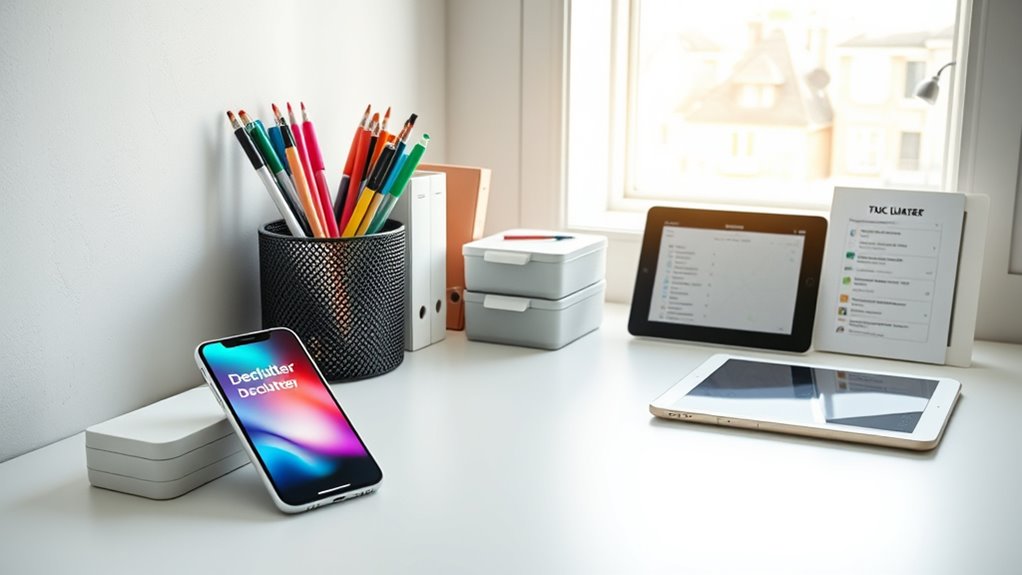
Creating efficient micro-zones transforms cluttered spaces into focused areas that boost productivity and reduce overwhelm. By dedicating small, purpose-driven zones, you streamline tasks and minimize distractions. For example, set up a specific spot for your smartphone that’s only for work-related apps, or create a corner in your home for bills and paperwork. Clear boundaries help you shift focus quickly and prevent clutter from spilling over. Use organizers or labels to keep items in their designated micro-zone. Regularly review and adjust these zones to maintain efficiency. This targeted approach simplifies daily routines and keeps your environment tidy without constant effort. Incorporating thermal behavior insights can help you optimize temperature zones in your workspace, making it more comfortable and efficient.
Leveraging Expert Tips and Trends for a Minimalist Digital Life
Ever wondered how experts streamline their digital lives to reduce clutter and boost productivity? They stay current on trends and apply proven tips to keep digital spaces tidy. Start by decluttering your files regularly, using consistent naming conventions and organized folder structures. Automate routine tasks like backups, email sorting, and updates to save time and prevent buildup. Leverage cloud storage solutions such as Google Drive or Dropbox for centralized access and easy management. Use productivity apps that sync across devices, set reminders, and track tasks efficiently. Adopt minimalist principles like keeping only what sparks joy or serves a purpose. Regular digital cleanups, combined with smart app usage and automation, create a streamlined, intentional digital environment that supports your goals and reduces overwhelm.
Frequently Asked Questions
How Do I Choose the Best Declutter App for My Needs?
You should pick a declutter app that fits your specific needs and habits. Consider whether you want help organizing physical items, managing digital clutter, or scheduling cleaning routines. Look for user-friendly interfaces, features like progress tracking or automated backups, and reviews to see how others find the app. Also, choose an app with good support, regular updates, and compatibility with your devices to guarantee it stays helpful long-term.
Are Digital Decluttering Tools Secure and Protect My Privacy?
Think of digital decluttering tools as guardians standing watch over your privacy. They use encryption, secure servers, and privacy policies to keep your data safe. You control what’s shared, and many apps offer two-factor authentication for extra security. Always stay vigilant, update your software, and read privacy policies. With these practices, your digital space stays tidy, and your personal info remains protected, like a fortress guarding your peace of mind.
Can These Apps Integrate With Other Smart Home or Productivity Tools?
Yes, these apps often integrate with other smart home or productivity tools to streamline your organization. You can sync them with calendars, task managers, or smart devices for seamless updates and automation. This integration helps you manage your household and digital clutter more efficiently, saving time and reducing stress. Just make sure you check each app’s compatibility and permissions to keep your data secure while maximizing functionality.
How Often Should I Perform Digital Decluttering Sessions?
You should perform digital decluttering sessions monthly to maintain a tidy digital space. Regularly review and delete unused files, emails, and apps to prevent buildup. Set reminders to organize cloud storage and backup important data. Consistent sessions help you stay on top of digital clutter, improve device performance, and reduce stress. Making this a routine guarantees your digital environment remains efficient, freeing up space and making it easier to find what you need.
What Are Common Mistakes to Avoid When Decluttering Digitally?
Think of digital decluttering like pruning a tree—you need to remove dead or unnecessary branches to let new growth thrive. Avoid common mistakes like deleting files randomly, which can cause loss of important data. Don’t forget to back up before deleting. Overlooking subscriptions or apps you rarely use can clutter your space again. Stay consistent, organize with clear folders, and focus on purpose to keep your digital space healthy and manageable.
Conclusion
By embracing these declutter apps and tools, you turn chaos into calm, like clearing a foggy window to reveal a bright, organized world beyond. With each digital file neatly in place and every app serving a purpose, you’ll feel lighter and more focused. Imagine your devices humming smoothly, freeing your mind to enjoy the space and clarity you’ve created. Start your journey today, and watch your digital life transform into a serene, effortlessly tidy sanctuary.