
TL;DR
Listen free for 30 days with Audible
Thousands of audiobooks and originals — cancel anytime.
Start your free trialAs an affiliate, we earn on qualifying purchases.
Building a DIY AI workstation was once always cheaper, but rising component costs and shortages mean prebuilt systems now often match or beat DIY prices. Your decision hinges on the balance between control, speed, support, and budget.
Imagine this: you need a powerful AI workstation, but the choices aren’t as clear as they used to be. In 2026, the old rule — build cheaper, buy faster — no longer holds. Rising hardware costs, supply chain issues, and bulk purchasing have flipped the script. Now, your decision depends not just on price, but on support, customization, and how quickly you need to get to work.
If you’re eyeing a high-powered rig for deep learning, image processing, or large language models, this article helps you weigh the real tradeoffs. Should you spend hours sourcing parts, tuning your build, and managing tech issues? Or is it smarter to pay a premium for a ready-to-go system that’s tested, supported, and optimized right out of the box?
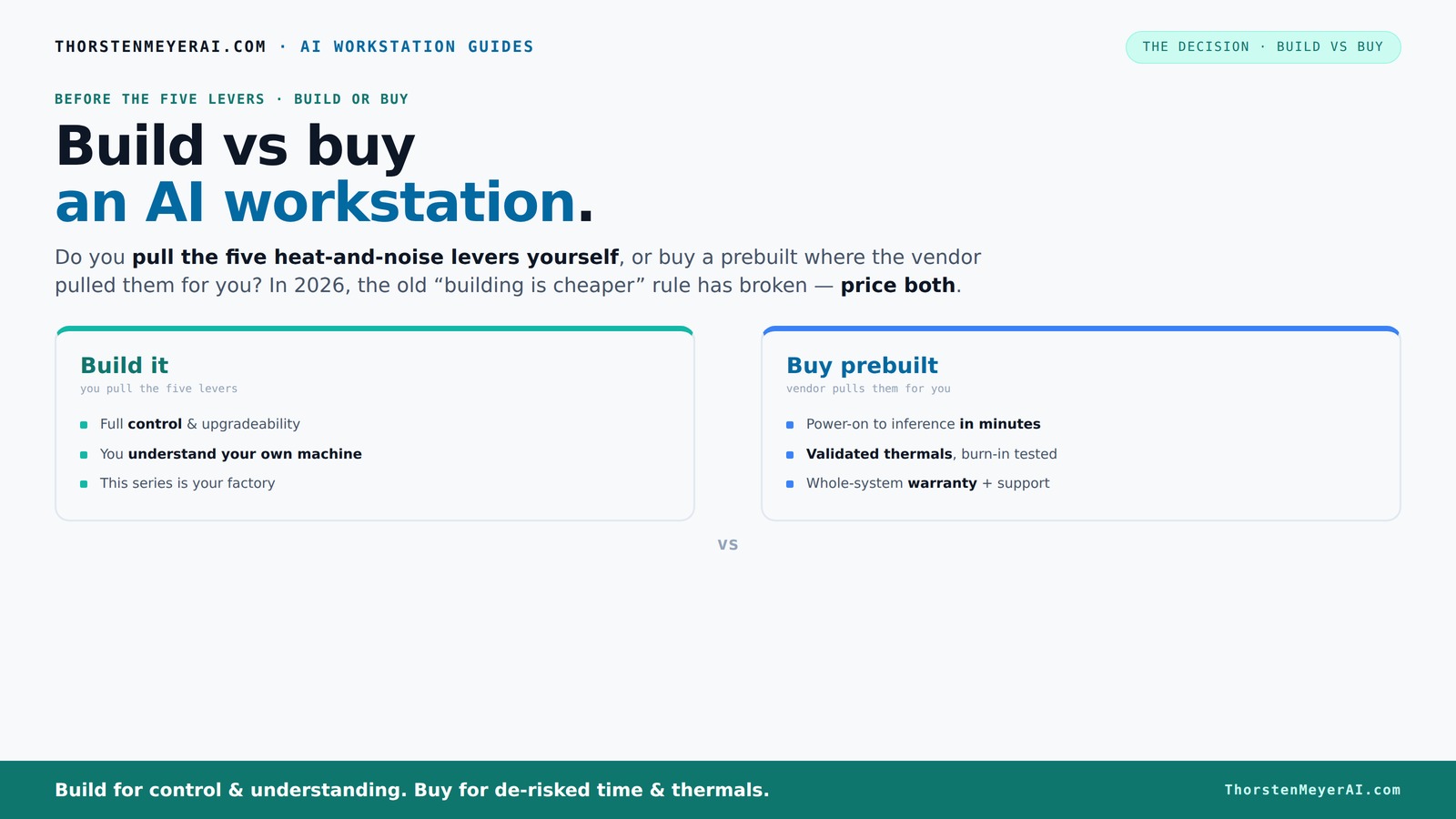
Build vs buy
an AI workstation.
The real question behind this whole series: do you pull the five heat-and-noise levers yourself, or buy a prebuilt where the vendor pulled them for you? And in 2026, the old “building is cheaper” rule has broken. Match your situation in Part 3.
Key Takeaways
- Component shortages and bulk buying now often make prebuilt AI workstations cost the same or less than DIY builds.
- Time-to-deploy is crucial—prebuilt systems get you working in hours, DIY can take days or more.
- Support and warranties reduce risk, especially under heavy loads and during long training runs.
- DIY offers unmatched customization and future upgradeability, but demands expertise and time.
- Evaluate your workload, budget, and technical skill to choose the right fit—there's no one-size-fits-all anymore.
high performance AI workstation prebuilt
As an affiliate, we earn on qualifying purchases.
As an affiliate, we earn on qualifying purchases.
Why Building Your Own AI Workstation Is No Longer Always Cheaper
Building your own AI machine used to be a straightforward way to save money, mainly because you could select components, avoid markup, and assemble exactly what you needed. However, today, the economic landscape has shifted dramatically. The reasons are multifaceted: supply chain disruptions have limited availability of key components, leading to inflated prices; increased demand from data centers and crypto miners drives up costs for GPUs and high-speed memory; and bulk purchasing by major vendors means they secure discounts that are unavailable to individual builders.
This shift impacts the fundamental tradeoff: the cost advantage of DIY is no longer guaranteed. In fact, if you attempt to build with retail prices, you may find your costs are comparable to, or even higher than, prebuilt systems. The implications are significant: you must now analyze whether the time and effort spent on sourcing, assembly, and troubleshooting are justified, or if the value of a pretested, supported system outweighs the potential savings. Moreover, the tradeoff extends beyond price—consider the risk of compatibility issues, the potential for delays, and the opportunity cost of your time.
In practical terms, this means that before deciding, you should compare actual prices for your specific configuration and include the value of your time and expertise. Sometimes, the marginal cost savings of a DIY approach are overshadowed by the benefits of a ready-made system that minimizes downtime and technical headaches.
customizable deep learning PC build
As an affiliate, we earn on qualifying purchases.
As an affiliate, we earn on qualifying purchases.
The Real Cost of Time: How Long It Takes to Build and Deploy
Time is a critical factor that often goes underappreciated when choosing between building and buying. For AI projects, especially those with tight deadlines, the difference in setup time can be the deciding factor. Buying a prebuilt system means you can power it on and start working almost immediately—everything is preinstalled, tested, and optimized for high performance. This rapid deployment allows you to focus on your core tasks without delay, which is especially valuable when project timelines are tight or when you need quick iteration cycles.
Building your own system, however, involves multiple stages: sourcing parts, waiting for deliveries—sometimes with supply chain delays—assembling hardware, troubleshooting compatibility issues, installing the operating system, and configuring drivers and software stacks. Each step introduces potential delays, and the cumulative time can easily extend from several days to over a week, depending on your experience and the availability of parts.
This time difference has practical implications: if your project requires immediate results, the extra days spent building could translate into lost revenue or missed opportunities. Conversely, if you have the luxury of planning ahead, the time investment might be worthwhile for the customization and control it offers. To make an informed decision, create a timeline for your project and assess how the build time impacts your overall productivity. If speed is paramount, prebuilt systems provide a clear advantage; if you value customization and long-term flexibility, investing time in building might pay off.
GPU workstation for AI and machine learning
As an affiliate, we earn on qualifying purchases.
As an affiliate, we earn on qualifying purchases.
Defining Your Needs and Setting Priorities
Before deciding whether to build or buy, it's essential to clearly define your specific requirements. Are you prioritizing raw computational power for training massive models? Do you need maximum customization for specialized workflows? Or is rapid deployment and minimal hassle more important? Understanding your workload, future upgrade plans, and support needs will guide your decision.
For instance, if you anticipate frequent hardware upgrades or customization, building might offer the flexibility you need. Conversely, if you're seeking a stable, reliable system with vendor support, prebuilt options could be more suitable. Consider your technical skills as well—building a system requires a certain level of expertise and time commitment. By aligning your needs with these factors, you can choose the approach that offers the best balance of performance, cost, and convenience.
professional AI workstation with support
As an affiliate, we earn on qualifying purchases.
As an affiliate, we earn on qualifying purchases.
Applying the Knowledge: Making Your Decision
Now that you understand the economic and time considerations, it's time to apply this knowledge. Gather current prices for the components you need, and compare them with prebuilt systems that meet your specifications. Factor in your own time, potential delays, and the risks involved with each option.
If speed and simplicity are paramount, and your workload is urgent, a prebuilt system typically offers the best value. If you have the time, technical skills, and desire for customization, building your own might still be worthwhile—especially if component prices stabilize or your specific needs are highly specialized.
Remember, there's no one-size-fits-all answer. The best decision aligns with your project timelines, budget constraints, and comfort with hardware management. Taking a systematic approach ensures you choose the option that maximizes your productivity and minimizes surprises.
Frequently Asked Questions
Is it actually cheaper to build my own AI workstation in 2026?
Not always. Due to component shortages and bulk discounts, prebuilt systems often match or beat DIY prices for high-performance AI workstations. Always compare prices for your specific specs before deciding.
How much performance do I lose if I buy prebuilt instead of building myself?
Modern prebuilt systems are often optimized for thermal and power performance, meaning you won’t lose much—sometimes none at all—compared to a DIY build. In fact, many vendors validate their builds for sustained workloads, ensuring performance stability.
What should I look for in a prebuilt AI workstation?
Focus on GPU VRAM, CPU power, cooling solutions, support, and upgrade options. Choose vendors who validate thermal performance, offer warranties, and have experience with high-load AI tasks.
Is support and warranty worth paying extra for?
Absolutely. For AI workloads, hardware failures can cause costly delays. Support and warranties reduce downtime and give peace of mind—especially critical during long training runs or production deployment.
Can I upgrade a prebuilt system later?
It depends. Many prebuilt systems allow upgrades of RAM and storage, but major components like GPUs or CPU might be limited by the design. Check with the vendor for upgrade paths before purchasing.
Conclusion
The choice between build and buy isn’t just about price anymore. It’s about what you value—speed, support, control, or flexibility. In 2026, the smarter move depends on your project’s demands and your comfort with hardware tinkering.
Imagine your ideal setup—quiet, reliable, ready to push your AI models to the limit. Now, ask yourself: do you want to build that system piece by piece, or let a trusted vendor do it for you? Either way, the best system is the one that gets your work done, without surprises.
Flea & tick season Picks
flea and tick prevention
As an affiliate, we earn on qualifying purchases.