
To organize your digital photos effectively, centralize your collection on reliable storage, like external drives and cloud services, and create clear folder structures by date and event. Use photo management software with AI features to automatically tag, detect duplicates, and organize images. Regularly back up files, review your library, and keep metadata updated. Consistent workflows and thoughtful naming conventions help you find memories fast—exploring these strategies further will make managing your photos a breeze.

Get the little things that make your day delivered free — and shop member deals
- Fast, free delivery on millions of items
- Access to Prime Big Deal Days deals on October 6–7
- Prime Video, Amazon Music and more included
Key Takeaways
- Implement a structured folder system by date and event, using descriptive naming for easy retrieval.
- Use dedicated photo management software with AI features for tagging, duplicate detection, and efficient cataloging.
- Regularly back up photos to reliable external drives and offsite/cloud storage, automating and verifying backups.
- Digitize physical photos with high-resolution scanners, organize files systematically, and remove duplicates periodically.
- Maintain consistent metadata and tags, enabling quick searches by date, location, or people across multiple devices.
Centralize Your Photo Collection for Easy Access

To make your digital photos easy to find and enjoy, you need to centralize your collection in one reliable storage location. Start by gathering all images from your smartphones, computers, external drives, and memory cards. Use a dependable external hard drive or dedicated computer drive as your main archive; avoid relying solely on cloud storage for original files to keep control and security. Once consolidated, create a straightforward folder structure organized by year and event, like “2024 > Summer Vacation.” Regularly update this central location with new photos to prevent scattering across devices. This approach ensures your entire collection is in one place, making it easier to manage, locate, and enjoy your memories whenever you want. Additionally, implementing color accuracy and proper calibration methods can help you better appreciate the true colors in your photos when viewed on different displays.
Establish Clear Folder and Naming Conventions
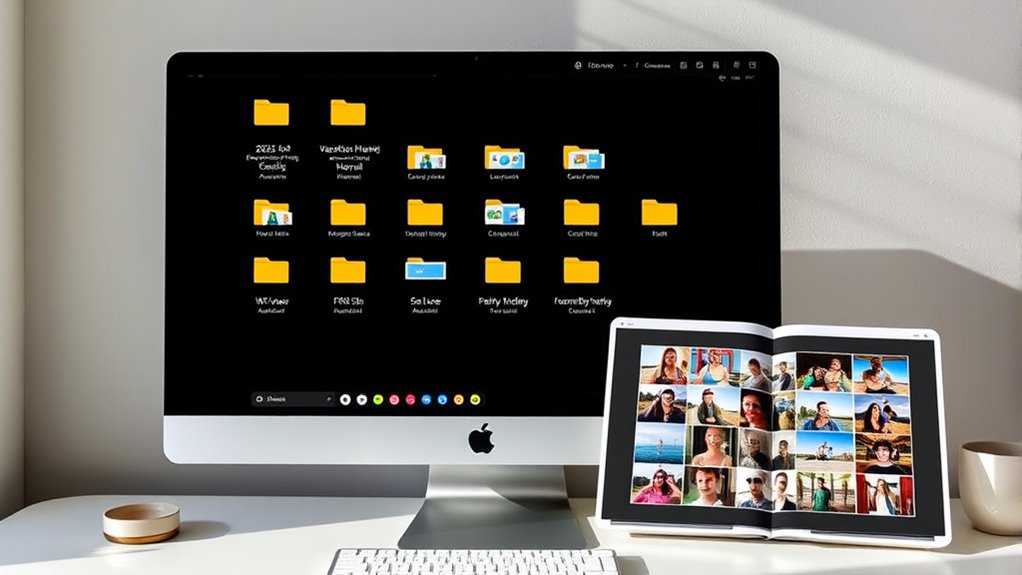
Once you’ve centralized your photos into a single storage location, establishing clear folder and naming conventions becomes essential for efficient retrieval. Begin by organizing folders chronologically by year, then by event, such as “2024 > Summer Vacation.” Use descriptive names that include dates and details, like “2024-07-10_Beach Day.” For large events, create subfolders to categorize photos further, such as “Thanksgiving > Dinner” or “Wedding > Ceremony.” Avoid vague titles like “Untitled” or “New Folder,” which hinder searchability. Consistency is key—use the same format for all imports. Incorporate metadata, keywords, and captions to enhance search functions within your software. Implementing structured data and adhering to cloud standards can further improve your photo management system. Clear, logical naming and folder structures save you time and make it easier to find specific memories later.
Utilize Photo Management Software and AI Features

Using photo management software with AI features makes organizing your collection much easier. AI tagging can automatically categorize images and add keywords, saving you time and effort. Additionally, these tools help manage centralized catalogs and detect duplicate photos to keep your library tidy and efficient. When managing large collections, it’s also helpful to understand file organization best practices to maintain a logical and accessible structure.
AI Tagging Capabilities
AI tagging capabilities in photo management software substantially streamline organizing large digital libraries. With AI, you can automatically identify people, places, and objects in your photos, saving hours of manual tagging. Facial recognition quickly groups images by individual, making it easy to locate photos of specific people. Auto-keywording assigns relevant tags based on content, such as “beach,” “birthday,” or “mountains,” enhancing searchability. Prompt search features allow you to find images instantly using natural language queries like “photos of John at the beach.” These AI tools reduce the need for tedious manual tagging, improve accuracy, and help keep your library organized. As your collection grows, AI tagging ensures that your digital memories remain accessible, searchable, and well-categorized without added effort.
Centralized Catalogs Management
Centralized catalog management is the backbone of an organized digital photo library, enabling you to efficiently handle thousands of images across various devices and storage locations. By using photo management software like Peakto, Excire Foto, or Mylio Photos, you create a single, unified catalog. This simplifies searching, tagging, and categorizing images with AI features such as facial recognition, auto-keywording, and prompt search. These tools support seamless integration with editing programs, streamlining your workflow. To deepen your understanding, consider this table:
| Feature | Benefit | Example Use |
|---|---|---|
| Facial Recognition | Auto-identifies people | Tag family members automatically |
| Auto-Keywording | Categorizes by content | Label beaches, birthdays |
| Duplicate Detection | Removes redundant images | Save storage space |
This setup boosts efficiency and keeps your library manageable.
Duplicate Photo Detection
Detecting and removing duplicate photos is a crucial step in maintaining an efficient and organized digital library. Using photo management software with AI features simplifies this task considerably. These tools scan your entire collection, identifying identical or similar images based on content analysis, metadata, and file hashes. Once duplicates are flagged, you can review and delete them with a few clicks, freeing up storage and reducing clutter. Many programs also offer auto-merge options for near-duplicates, such as slightly different shots of the same scene. Regularly running duplicate detection keeps your library streamlined and easier to navigate. Effective duplicate detection methods can help you identify even tricky copies. Combining AI-powered software with a consistent workflow ensures your collection remains tidy, saving you time and frustration while preserving your most cherished memories.
Implement Robust Backup and Redundancy Plans
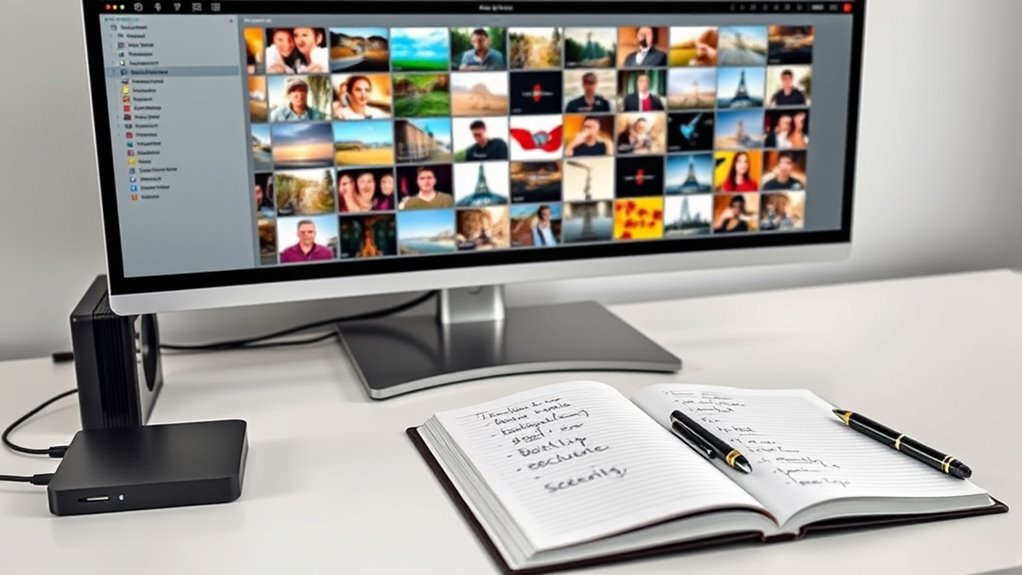
To effectively protect your digital photo library, implementing a robust backup and redundancy plan is essential. You should create multiple copies stored in different locations to guard against hardware failures, theft, or natural disasters. Use reliable external drives for local backups, and keep at least one offsite or cloud backup for added security. Automate backup processes whenever possible to ensure consistency and reduce human error. Regularly verify the integrity of your backups by testing restore procedures, and update them after major organizational sessions. Maintain a rotation system that replaces older backup media to prevent data loss from media degradation. Additionally, paying attention to storage conditions, such as avoiding exposure to air or light, can help preserve the quality of your backups over time. By combining these strategies, you ensure your memories are preserved even if your primary storage encounters issues, giving you peace of mind.
Prepare for Large Libraries and Simplify Access

As your photo library grows, having scalable storage solutions guarantees you can keep adding without chaos. Advanced search features make it easy to find specific images by person, place, or date, saving you time. Making your collection accessible across multiple devices lets you view and share memories effortlessly wherever you are. Incorporating local automation can also help organize and categorize your images automatically, streamlining your management process.
Scalable Storage Solutions
Managing large photo libraries requires implementing scalable storage solutions that can grow with your collection while keeping access straightforward. To do this, establish a central storage system, such as an external hard drive or dedicated server, that offers ample space and reliable performance. Use a clear folder hierarchy organized by year and event to simplify navigation and future expansion. Consider network-attached storage (NAS) for easy multi-device access and scalability. Cloud services can complement your setup by providing offsite backups, but don’t rely on them solely for original files. Regularly assess your storage needs and upgrade hardware or expand capacity as your library grows. Combining local and cloud solutions guarantees smooth access, security, and room for your ever-expanding collection of memories. Incorporating scalable storage solutions ensures your archive remains manageable as it grows.
Advanced Search Capabilities
Large photo libraries demand efficient ways to locate specific images quickly. Advanced search features help you filter by date, location, person, or event, saving time and reducing frustration. Use software that supports keyword tagging, facial recognition, and metadata filtering to streamline access. Organizing with consistent naming conventions and descriptive tags enhances search accuracy. To visualize this, consider the table below showcasing key search attributes:
| Attribute | Description | Example |
|---|---|---|
| Date | Search by shooting date | 2023-07-04 |
| Location | Filter by geo-tags | Yosemite |
| People | Find photos of specific persons | John, Sarah |
| Event | Locate by event or occasion | Wedding, Vacation |
Implementing these advanced capabilities makes managing even thousands of images manageable and quick. Additionally, understanding the wave and wind can help you anticipate the best conditions for outdoor photography, ensuring clear and compelling images.
Multi-Device Accessibility
To guarantee you can access your extensive photo library across multiple devices, it’s essential to set up a reliable synchronization system. Start by choosing a cloud service that supports multi-device syncing, like Google Photos, Dropbox, or iCloud, ensuring your library stays consistent everywhere. Pair this with a centralized storage solution, such as an external hard drive or NAS, to keep original files secure and accessible. Organize your photos with a clear folder structure and standardized naming conventions, making it easier to locate images across devices. Use photo management software that supports real-time sync and cross-platform compatibility. Regularly verify that synchronization works seamlessly and update settings as your library grows. This approach simplifies access, reduces duplication, and keeps your memories available whenever and wherever you need them.
Develop a Consistent Workflow for Ongoing Organization

Establishing a consistent workflow for ongoing photo organization guarantees your library remains manageable and easy to navigate over time. Start by setting a regular schedule to import new photos, review, and categorize them promptly. Use clear folder naming conventions and organize images by date and event to keep everything structured. Make tagging and metadata entry a routine step during import to enhance searchability later. Utilize your chosen software’s features to rate, cull, and delete duplicates consistently. Automate backups after each session to protect your work. Keep consistency in your process, whether you’re adding new images weekly or monthly, so your collection stays organized without becoming overwhelming. Regularly review and refine your workflow to adapt to your evolving needs. Incorporate consistent naming conventions to further improve the organization and retrieval of your digital photos.
Digitize and Organize Physical Photos Effectively

After setting up a consistent workflow for digital photo management, focusing on digitizing your physical photos becomes the next step to complete your archive. Begin by gathering all physical photos and negatives, sorting them by event or date to streamline the process. Use a high-quality scanner or professional scanning service to digitize each photo at a high resolution (300-600 dpi) to preserve detail. Name each digital file with meaningful, consistent labels that include date and event information, and organize them into folders reflecting their original context. Once digitized, consider enhancing images with editing software to improve clarity or correct colors. Store the digital copies securely on your central system, backing them up regularly to prevent loss, and integrate them into your broader digital photo organization system. Additionally, understanding the importance of support breakfast can inspire you to take small breaks during your organizing sessions to stay refreshed and motivated.
Regularly Review and Update Your Photo Archive

Regularly reviewing and updating your photo archive is essential to keep your collection organized, manageable, and relevant. Over time, your collection can become cluttered with duplicates, blurry images, or outdated files. By performing routine checks, you ensure only meaningful photos remain, and your system stays current. This process also helps identify gaps in your archive, prompting you to fill missing memories or re-categorize images. Consistent reviews prevent backlog buildup and maintain retrieval efficiency. Incorporating effective organization techniques can further streamline the management process.
Educate Users and Maintain System Longevity

Educating all users involved in your digital photo system is essential to ensuring its long-term effectiveness and consistency. When everyone understands how to organize, name, and back up photos, your system stays reliable and easy to navigate. Create clear guidelines for folder structures, naming conventions, and tagging to promote uniformity. Regular training sessions or shared documentation can reinforce best practices. Encourage users to keep software and backups up to date, reducing the risk of data loss or corruption. Emphasize the importance of maintaining a clean, organized library by culling duplicates and updating metadata. Additionally, understanding the resale value of digital assets can help prioritize which photos to preserve or review. By fostering a culture of shared responsibility, you extend your system’s longevity, making it easier to find memories now and in the future. Consistent education safeguards your digital archive’s integrity and usability.
Frequently Asked Questions
How Can I Efficiently Migrate Photos From Multiple Devices Into One System?
You can efficiently migrate photos from multiple devices by consolidating all files into a single, reliable storage location, like an external hard drive. Connect each device and transfer photos using a consistent folder structure organized by date and event. Use software to automate duplicate removal and tagging. Regularly update your central system, and guarantee backups are in place. This approach keeps your photo collection organized, secure, and easy to access.
What Are the Best Practices for Tagging and Metadata to Improve Searchability?
You might think tags and metadata don’t matter, but they’re essential for quick searches. Use descriptive keywords like location, people, and events, and be consistent in your naming. Add captions and facial recognition data where possible. Regularly update metadata during imports. This way, you’ll easily find specific photos later, saving time and keeping your library organized. Consistent tagging turns chaos into a searchable, manageable collection.
How Do I Choose the Right Photo Management Software for My Needs?
You should choose photo management software that aligns with your specific needs, like facial recognition or editing integration. Look for user-friendly interfaces, reliable AI features, and support for your devices and operating systems. Guarantee it offers good search capabilities, duplicate detection, and backup options. Try free trials to test performance and compatibility. Pick a solution that’s scalable for your library size and easy to maintain long-term.
What Strategies Ensure My Backups Are Reliable and Up-To-Date?
To guarantee your backups are reliable and current, set up multiple backup methods like local drives and cloud services. Automate backups to minimize human error, and regularly verify their integrity. Use a rotation system for backup media to prevent data degradation, and update backups after major organization sessions. Keep at least one offline copy to safeguard against hardware failures, and schedule routine checks to confirm everything stays up-to-date and intact.
How Can I Manage and Access a Large Photo Library Across Multiple Devices?
To manage and access a large photo library across multiple devices, set up a scalable, organized storage system with a clear folder structure. Use photo management software with cloud sync and multi-device support for easy access. Enable tagging, metadata, and facial recognition for quick searching. Regularly update your backups, and guarantee your system is user-friendly so everyone can find and enjoy photos seamlessly on any device.
Conclusion
By following these best practices, you’ll keep your digital photos organized and easy to enjoy. Did you know that nearly 80% of photos are never viewed again? Staying organized guarantees your memories are accessible when you want them and protected for the future. Make regular updates part of your routine, and your photo collection will remain a treasured, manageable archive for years to come. Start today and preserve your moments with confidence.
NFL season / tailgating Picks
team gear
As an affiliate, we earn on qualifying purchases.