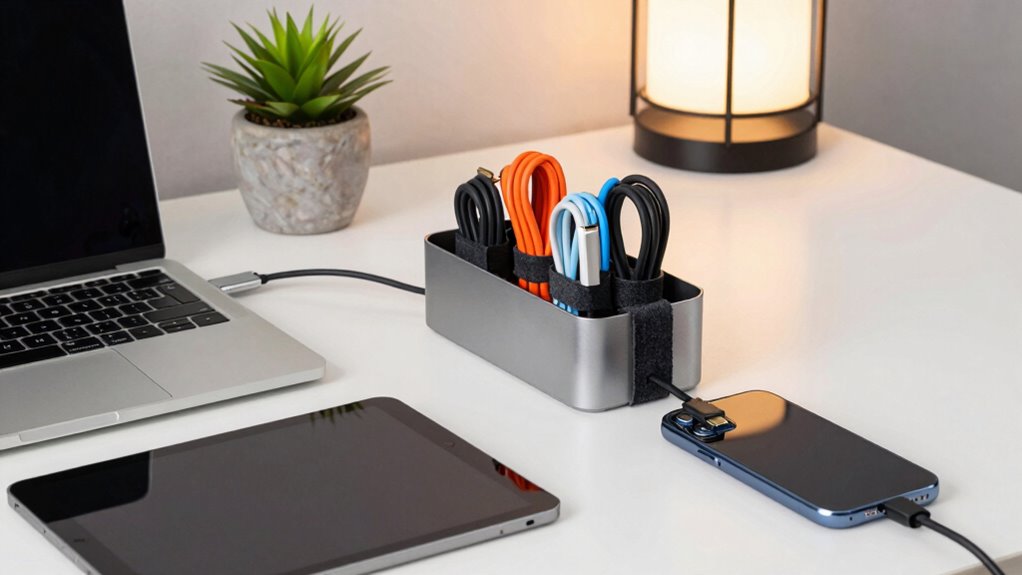

To organize your computer cables, chargers, and devices easily, start by gathering everything and sorting items by how often you use them. Use cable clips, ties, or sleeves to bundle wires neatly and prevent tangling. Attach clips along your desk or behind furniture to keep cables off your workspace. Consider cable trays for a tidy look and safer environment. If you want simple tips to make setup faster and your workspace neater, keep going for more ideas.
Key Takeaways
- Gather and sort cables by type and usage for targeted organization.
- Use cable clips, ties, or sleeves to bundle and secure wires neatly.
- Attach adhesive clips or hooks to keep cables off the workspace surface.
- Utilize cable management trays or boxes for hiding excess cords.
- Develop a consistent system for quick setup and easy maintenance.
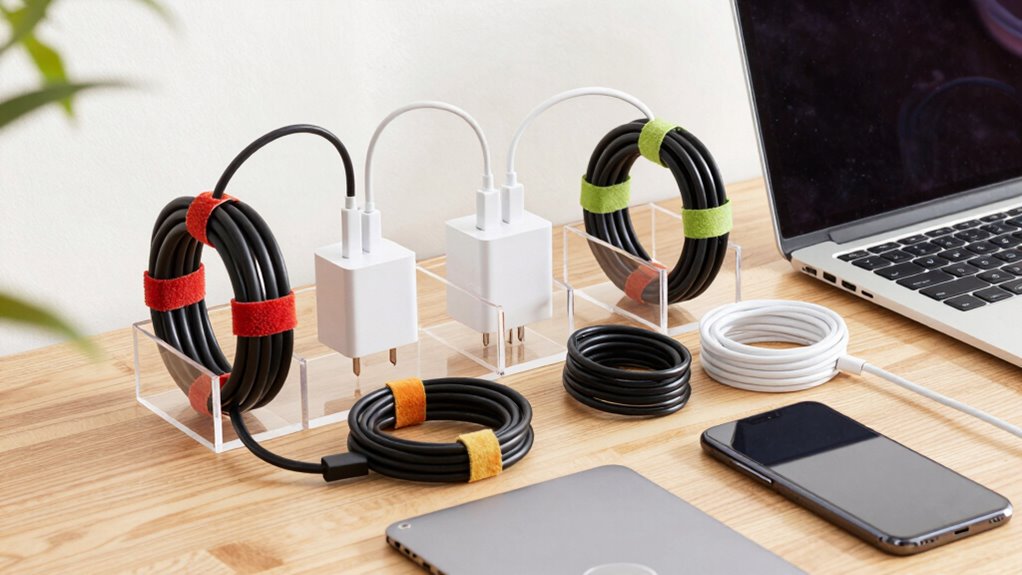
Keeping your computer cables, chargers, and devices organized can transform your workspace into a more efficient and clutter-free environment. The key to achieving this lies in effective wire management and choosing the right storage solutions. When your cables are tangled and scattered, it becomes a hassle to find the right one quickly, and it can even damage your wires over time. By implementing some simple strategies, you’ll save time, reduce frustration, and extend the lifespan of your devices.
Start by evaluating all the cables, chargers, and devices you have. Gather them in one place and sort them into categories based on usage frequency and type. Once sorted, you can focus on managing each group more effectively. Using cable clips, sleeves, or ties helps keep wires bundled together and prevents them from tangling. These small accessories are inexpensive but make a huge difference in maintaining a tidy workspace. When you secure cables along desks or behind furniture, you create a clean look and reduce accidental disconnections or tripping hazards. Additionally, understanding the importance of wire management can help you plan your workspace more effectively and prevent potential damage. A well-thought-out organizing system can further streamline your setup and make daily device connections quicker and easier.
Another effective tip is to use adhesive cable clips or hooks along the edge of your desk or wall. This keeps your cables off the surface, preventing tangles and making your workspace look more streamlined. If you’re dealing with multiple devices that frequently connect and disconnect, a cable management tray underneath your desk can hide all excess wires and keep your workspace clear. This not only improves aesthetics but also reduces the risk of damage or disconnections caused by clutter. Incorporating cable organization techniques can further optimize your workspace and simplify device setup.
Incorporating these wire management tips and smart storage solutions into your routine can make a noticeable difference. Not only will your workspace look more organized, but you’ll also find it easier to maintain and expand as your needs grow. Staying consistent with these practices ensures your cables, chargers, and devices stay in good condition, ready for when you need them. Ultimately, a well-organized setup boosts your productivity and creates a more pleasant working environment.

SOULWIT 50Pcs Self Adhesive Cable Management Clips – Black
- Easy to Use: Stick, open tab, insert cables, close
- Premium Material: Eco-friendly Polyamide66, anti-static, strong
- Universal Adhesion: Works on desks, walls, wood, metal, ceramics
As an affiliate, we earn on qualifying purchases.
As an affiliate, we earn on qualifying purchases.
Frequently Asked Questions
What Are the Best Tools for Cable Management?
The best tools for cable management include cable labeling to identify cords easily and sleeve organizers to bundle multiple cables neatly. Labeling helps you quickly find the right charger or device, while sleeve organizers keep everything compact and tangle-free. Invest in high-quality cable clips and cable ties too, to secure cords along desks or behind furniture. These tools make organizing your cables simple, efficient, and mess-free.
How Often Should I Reorganize My Cables?
You should reorganize your cables whenever chaos strikes—like after your desk becomes a jungle or your charger turns into a mysterious artifact. Regularly, every few months, is smart to update your cable labeling and storage solutions. Think of it as a spa day for your cords. Fresh labels and tidy storage keep things functional and prevent you from accidentally disconnecting that essential device or, worse, losing it forever in the abyss.
Can I Use DIY Methods for Cable Organization?
Yes, you can definitely use DIY solutions for cable organization. Creating custom cable labels helps you quickly identify each cord, reducing frustration. You might also repurpose household items like binder clips or Velcro straps to bundle and secure cables neatly. DIY methods are cost-effective and customizable, making your setup more organized and accessible. Just make certain your labels are clear and durable, so your cables stay tidy over time.
Are There Eco-Friendly Cable Management Options?
Yes, you can choose eco-friendly cable management options by exploring recycling alternatives and biodegradable materials. Look for cable ties made from biodegradable plastics or plant-based fibers, which break down naturally. You can also reuse or repurpose containers and organizers, reducing waste. These environmentally conscious choices help you manage your cables effectively while minimizing your carbon footprint and supporting sustainability efforts.
How Do I Prevent Cables From Tangling Again?
To prevent cables from tangling again, start by using cable labeling to identify each cord easily. Next, practice cord winding by neatly coiling each cable, avoiding tight loops that can cause damage. Secure the coils with reusable velcro straps or cable ties, and store them in designated containers or drawers. Regularly check and re-organize your cables to maintain order and prevent future tangles.

Mzmaxy Cable Management, 25'' Cable Management Under Desk, Cable Tray
- 【25'' Large Size】The 25'' cable management provides enough…
- 【Under Desk Cable Management Tray】Our cable management under…
- 【Sturdy Structure】The under desk cable management is made…
As an affiliate, we earn on qualifying purchases.
As an affiliate, we earn on qualifying purchases.
Conclusion
With a little patience and some clever tricks, you’ll transform chaos into harmony, turning your tangled jungle into a sleek, organized symphony. Think of your cables and chargers as a well-rehearsed orchestra, each piece playing its part in perfect harmony. As you implement these simple steps, you’ll create a clutter-free oasis, where every device and cord finds its rightful place—making your workspace not just tidy, but a sanctuary of calm amidst the storm of technology.

JOTO 4 Pack Cable Management Sleeve 19-20 Inches -Black
- Set of 4 sleeves: 19-20 inches long, 1.2 inches diameter
- Flexible neoprene material: Stretchy, accommodates multiple cables
- High cable capacity: Holds 8-10 cables per sleeve
As an affiliate, we earn on qualifying purchases.
As an affiliate, we earn on qualifying purchases.
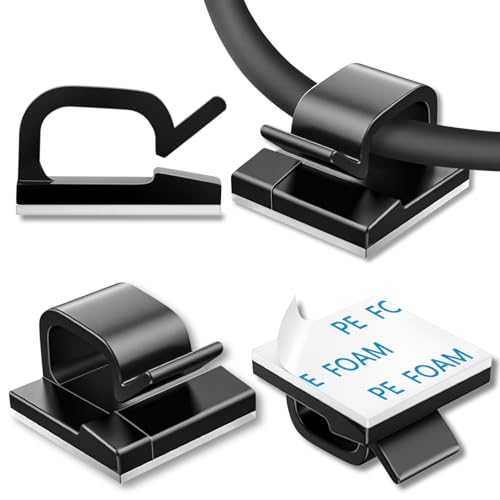
100 Pcs Cable Clips, Adhesive Cable Organizer Cord Holder Wire Clip Wire Management Self Adhesive Hooks Wire Holder for Office, Home (Black)
- Self-Adhesive Design: Sticks securely without surface damage
- Easy Installation: No tools needed for setup or removal
- Versatile Use: Suitable for various cables and environments
As an affiliate, we earn on qualifying purchases.
As an affiliate, we earn on qualifying purchases.