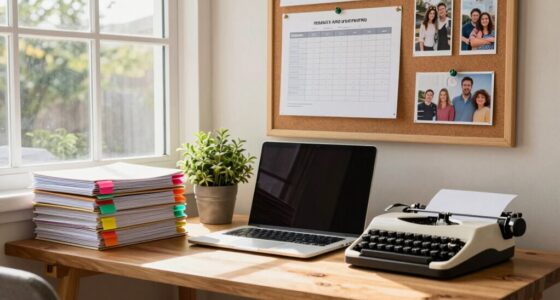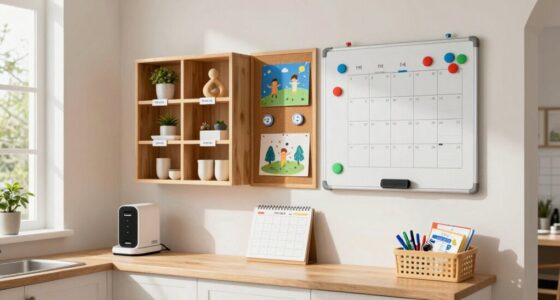
To organize your printer station without wasting space, keep essentials like ink cartridges and paper in clear, labeled containers placed nearby your printer. Use vertical storage solutions like slim trays or wall-mounted shelves to save desk surface space, and keep frequently used items within arm’s reach. Regularly maintain and tidy your supplies, and consider space-efficient furniture to maximize the area. For more tips on creating an efficient setup, explore the complete organization plan.

Get the little things that make your day delivered free with Prime
- Fast, free delivery on millions of items
- Prime Video, Amazon Music and more included
- Member-only deals all year
Key Takeaways
- Use wall-mounted shelves or organizers above or beside the printer to free up desk space.
- Store supplies in clear, labeled containers to streamline access and prevent clutter.
- Opt for compact, vertical storage solutions like slim trays or stacked bins for paper and cartridges.
- Keep frequently used items within arm’s reach using small trays or designated spots nearby.
- Regularly review and declutter your station to maintain an efficient, space-saving setup.

Have you ever struggled to find printer supplies or felt overwhelmed by a cluttered workspace? If so, you’re not alone. A messy printer station can slow you down and make everyday tasks more frustrating. The key to avoiding this chaos is to organize effectively without wasting space. Start by evaluating what you need regularly—ink cartridges, paper, and other accessories. Keeping these essentials within reach prevents constant rummaging through drawers or boxes. For optimal efficiency, consider staying updated with the latest technology and choosing storage solutions that adapt to new printer models and accessories. For ink cartridge maintenance, designate a small, dedicated spot nearby your printer. Use a clear container or small tray to hold spare cartridges that are ready for quick swaps. This not only keeps them organized but also prevents ink from leaking onto your desk or other supplies.
Organize printer supplies to stay efficient and prevent clutter from slowing down your workflow.
Next, focus on paper storage solutions. Instead of stacking paper haphazardly or letting it spill over your desk, invest in a slim vertical file or a compact paper tray that fits neatly on or beside your printer. This keeps your paper flat, accessible, and prevents it from bending or tearing. Make sure the tray is high enough to accommodate multiple reams if needed, but compact enough to save space. If you have limited room, consider stacking a few reams vertically in a small bin or drawer, labeling each for easy identification. This way, you always know where to find the right paper without digging through cluttered piles. Additionally, integrating space-saving furniture can further optimize your workspace layout, making it easier to keep everything organized. Using smart storage solutions designed specifically for small spaces can also help maximize your available room and keep your supplies neatly tucked away.
To maximize space, use wall-mounted organizers or small shelves for additional supplies like pens, labels, or cleaning wipes. Mounting a narrow shelf above or beside your printer keeps everything off your work surface while remaining within arm’s reach. When it comes to maintaining your ink cartridges, perform regular ink cartridge maintenance by checking ink levels and replacing cartridges before they completely run out. This prevents last-minute scrambles and keeps your printer functioning smoothly. Establishing a routine for regular maintenance can extend the life of your printer and improve print quality over time. Incorporating a comprehensive organization plan can help you sustain these habits and ensure your printer station remains tidy and efficient over the long term.
Decluttering your workspace involves more than just storage; it also means creating a system. Label containers and compartments so you always know where to find what you need. Keep cords tidy with clips or Velcro strips to prevent tangling. By establishing a clear, efficient system for supplies—especially ink cartridges and paper—you’ll waste less time searching and more time focusing on your work. With just a little effort, you can transform your printer station into an organized, space-efficient area that makes printing tasks quick and hassle-free.
As an affiliate, we earn on qualifying purchases.
Frequently Asked Questions
What Is the Best Location for a Printer Station?
You should place your printer station near your workspace or a frequently used area to maximize efficiency. Choose a spot with easy access to power outlets and good cable management to keep printer accessories tidy. Keep cables organized using clips or sleeves, preventing clutter. This setup guarantees quick printing, easy maintenance, and a neat appearance, making your printer station both functional and space-saving.
How Much Space Is Ideal for a Printer Setup?
Think of your printer setup as a well-tuned orchestra—every piece needs room to breathe. Ideally, allocate about 2 to 3 square feet, giving space for the printer and essential accessories. Keep cables tidy with smart cable management, preventing chaos like tangled vines. This neat arrangement guarantees smooth operations, minimizes clutter, and makes your workspace feel like a harmonious symphony, ready for any printing task without wasting precious space.
Should I Hide or Display My Printer?
You should consider hiding your printer to keep your space tidy and reduce visual clutter, especially if you don’t use it daily. However, guarantee easy access for printer maintenance and refilling paper storage. If space allows, display it for quick use, but keep it organized with designated paper storage nearby. This balance helps maintain a clean look while ensuring your printer remains functional and accessible whenever needed.
How Do I Prevent Paper Jams in a Small Space?
Think of your small space as a delicate dance floor—every move counts. To prevent paper jams, manage your paper tray carefully, only loading the amount you need, and keep ink cartridge storage organized to avoid unnecessary opening and closing. Regularly clear paper debris and guarantee rollers are clean. With careful paper tray management and tidy ink cartridge storage, you’ll keep your printer running smoothly without jams, even in tight quarters.
What Are Eco-Friendly Printer Organization Tips?
To keep your printer setup eco-friendly, recycle paper whenever possible and avoid waste. Use refillable ink cartridges to reduce plastic waste and save money. Keep a designated recycling bin nearby for paper scraps and used cartridges. Organize your supplies efficiently to minimize excess, and opt for energy-efficient printers. By making these small changes, you support sustainability while maintaining an organized, space-efficient printer station.
clear labeled storage containers for office supplies
As an affiliate, we earn on qualifying purchases.
As an affiliate, we earn on qualifying purchases.
Conclusion
By organizing your printer station efficiently, you’ll save space and reduce clutter, making your workspace more productive. Remember, an organized station can boost your printing speed and ease stress during busy days. Did you know that a cluttered workspace can decrease productivity by up to 20%? Taking a few minutes to tidy up and optimize your printer area can make a big difference in your daily routine. Start organizing today and enjoy a cleaner, more functional workspace!
space-saving vertical paper tray
As an affiliate, we earn on qualifying purchases.
As an affiliate, we earn on qualifying purchases.
As an affiliate, we earn on qualifying purchases.
NFL season / tailgating Picks
team gear
As an affiliate, we earn on qualifying purchases.