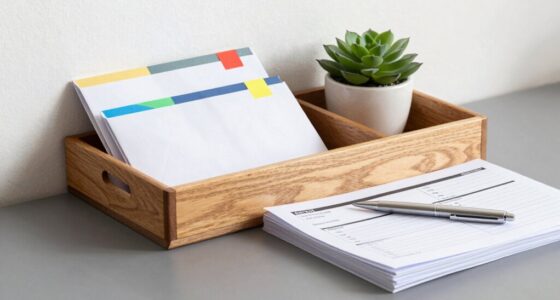
To set up a filing cabinet system you’ll actually keep up with, start by creating clear, logical categories like finances or health, and break them into specific folders. Use consistent naming conventions and label everything clearly. Review and update your system regularly to keep it current and purge outdated files. Store digital copies for easy access and backup important data. Staying organized becomes easier once you establish habits—continue to learn how to keep it simple and practical.

Get the little things that make your day delivered free — and shop member deals
- Fast, free delivery on millions of items
- Access to Prime Big Deal Days deals on October 6–7
- Prime Video, Amazon Music and more included
Key Takeaways
- Create a simple, logical hierarchy with broad categories and specific subfolders for easy navigation.
- Develop consistent naming conventions and clear labels to facilitate quick retrieval.
- Regularly review, update, and purge outdated documents to keep the system current.
- File new documents immediately to prevent backlog and maintain organization.
- Use digital tools and backups to streamline management and ensure sustainability.
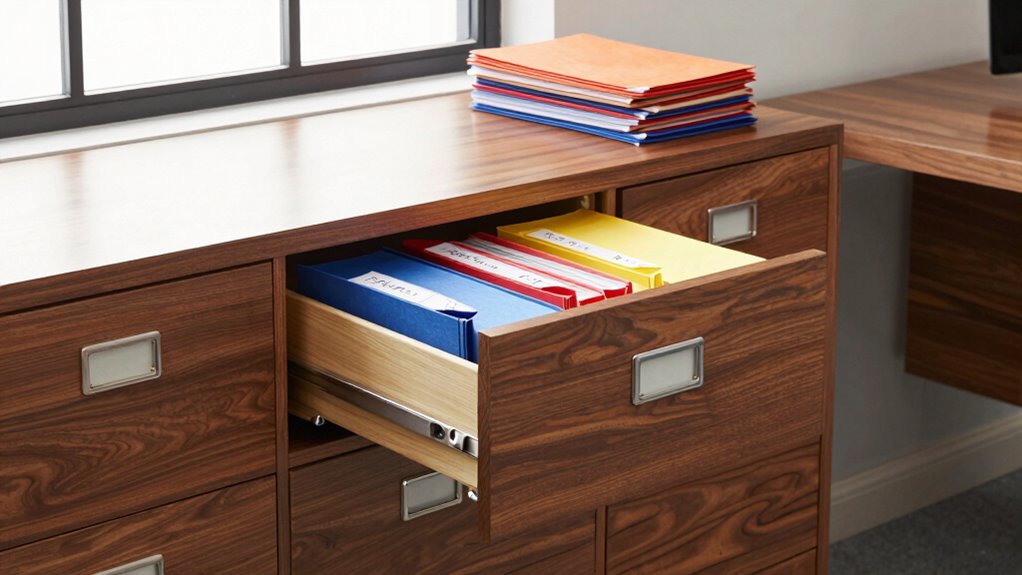
A well-organized filing cabinet system can dramatically improve your efficiency and reduce clutter. When you set up your system correctly, you make it easier to find what you need quickly, saving you time and frustration. Plus, a good filing system supports your efforts toward a paperless office, helping you manage digital files just as effectively as physical documents. The key is creating a system that’s simple to maintain, so it doesn’t become a chore you dread. Incorporating digital organization strategies can further streamline your workflow and ensure your documents are always accessible. Start by evaluating what you truly need to keep and what can be digitized. digital organization is essential for a paperless office, so consider scanning important documents and storing them securely on your computer or cloud service. This reduces physical clutter and makes your files accessible from anywhere. For the remaining physical papers, create a logical structure that makes sense for your workflow. Use broad categories first—such as finances, health, work, or personal—and then break those down into more specific folders. For example, under finances, you might have bills, bank statements, and tax documents. Keeping your categories intuitive and consistent helps you locate files without digging through stacks of papers. Establishing a consistent naming convention for folders and files can be a game-changer, as it enhances your ability to find documents quickly and efficiently. Label every folder clearly and uniformly. Use a straightforward naming system—like “2023 Taxes” or “Insurance Policies”—so you know exactly what’s inside at a glance. This clarity prevents you from wasting time searching or misfiling. Regularly reviewing your filing system can help you identify areas for improvement and prevent unnecessary clutter from accumulating over time. Maintaining a filing schedule by setting aside a regular time, such as weekly or monthly, to update and review your files can also help reinforce good habits and keep your system organized. This habit ensures your filing system stays current and relevant, preventing backlog and chaos. To keep your system sustainable, limit the number of categories and avoid overcomplicating your folders. The goal is to make filing and retrieving straightforward, not overwhelming. Digital tools can assist in this effort; for example, using software that automatically tags or categorizes files can streamline your digital organization process. As you implement your filing system, remember that consistency is key. Always file new documents immediately—don’t let them pile up. Additionally, proper organization can help reduce the likelihood of misplacing important documents. When you do a periodic review, purge outdated or unnecessary files, and backup important digital documents regularly.
file folder labels for filing cabinet
As an affiliate, we earn on qualifying purchases.
As an affiliate, we earn on qualifying purchases.
Frequently Asked Questions
How Often Should I Review and Purge My Files?
You should review and purge your files at least once a year to keep your file organization effective and guarantee you’re following proper document retention guidelines. Regularly checking your files helps you identify outdated or unnecessary documents, making space for important records. Set a reminder to go through your files annually, and adjust the frequency if your needs change. Staying consistent maintains an organized system and keeps you compliant with document retention policies.
What Are the Best Labeling Techniques for Quick Access?
To make your files fabulous and findable, focus on friendly labeling techniques. Use color coding to categorize files by type or priority, making quick identification simple. Place labels prominently at the front or top of each folder, ensuring they’re easy to spot. Clear, concise labels combined with strategic placement create a system that’s swift to scan and simple to sustain, saving you time and reducing stress.
How Do I Handle Digital and Paper Filing Integration?
You should create a seamless integration by digitizing paper files using scanners and saving them in cloud storage, which makes access easy and safe. Regularly shred paper documents once they’re digitized to reduce clutter. Keep a consistent naming system for both digital and paper files, and schedule routine checks to update and organize both formats. This approach guarantees your filing system remains efficient, secure, and easy to maintain.
What Security Measures Are Recommended for Sensitive Documents?
Imagine your sensitive documents are treasure chests; you guard them fiercely. To protect them, use document encryption to lock the contents and access control to regulate who can open the chests. This way, only trusted individuals can view or modify the files. Regularly update passwords and monitor access logs, ensuring your digital vault remains secure. Think of it as a fortress protecting your most valuable valuables.
How Can I Make the System Adaptable for Future Needs?
To make your filing system adaptable for future needs, focus on flexible storage solutions like adjustable file folders and modular units. Keep your paper organization simple and scalable, allowing you to add or remove categories easily. Regularly review and update your filing structure to reflect changing priorities. This way, your system stays organized and functional, accommodating new documents without chaos. Continuously refining your storage solutions guarantees long-term efficiency.
digital document scanner for home office
As an affiliate, we earn on qualifying purchases.
As an affiliate, we earn on qualifying purchases.
Conclusion
Now that you’ve got your filing cabinet system in place, you’re unstoppable—like a filing ninja on a mission! Remember, the key is consistency; maintaining your system will become second nature. Stick to your categories, purge outdated documents, and stay diligent. Before you know it, your workspace will be so organized, it’ll be the envy of the entire office. Keep at it, and you’ll turn chaos into crystal-clear order faster than you can say “file it away”!
As an affiliate, we earn on qualifying purchases.
cloud backup service for documents
As an affiliate, we earn on qualifying purchases.
As an affiliate, we earn on qualifying purchases.
Fall Picks
fall essentials
As an affiliate, we earn on qualifying purchases.