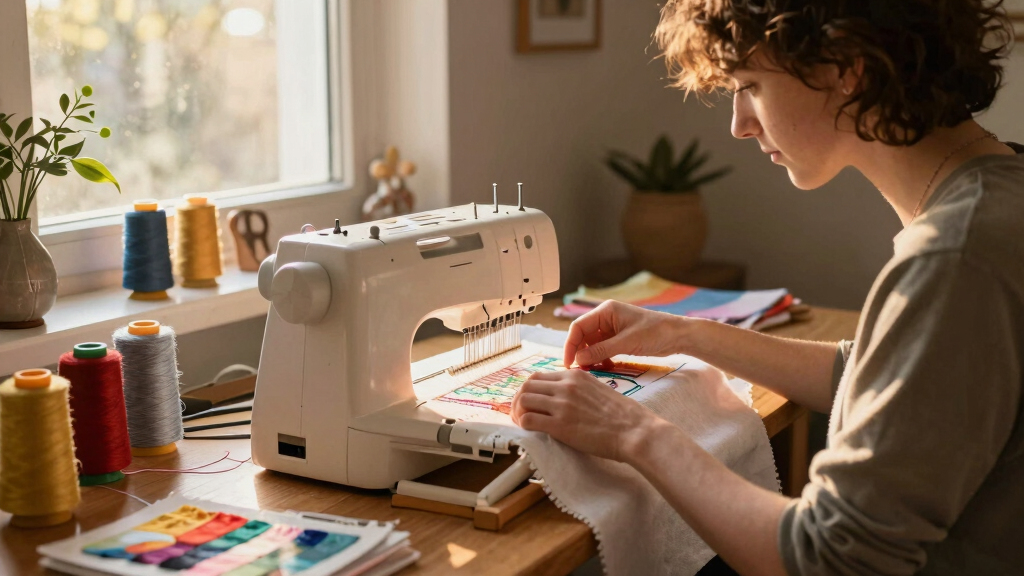

Finding the best embroidery machine for beginners involves balancing simplicity, features, and affordability. The Brother PE545 stands out for its user-friendly interface and reliable performance, making it ideal for newcomers. For those prioritizing a larger workspace, the Embroidery Machine with 6.7″ x 11″ Area offers more room to grow. However, beginner buyers often face tradeoffs between ease of use and advanced features, as more complex machines tend to be harder to master. Keep reading to see how these options compare to help you find the perfect fit for your crafting journey.
Prime for Young Adults — start your free trial
Fast free delivery, streaming and member deals for eligible 18–24 year olds.
Try it freeAs an affiliate, we earn on qualifying purchases.
Key Takeaways
- The top picks balance ease of use with enough features to grow into as skills develop.
- Larger embroidery areas are beneficial but often come with increased complexity and cost.
- Wireless connectivity and touchscreen controls are common features in the best beginner models.
- Price varies widely; the most expensive options usually provide more features but may overwhelm beginners.
- Including accessories like hoops and threads adds value but consider what you actually need to start.


More Details on Our Top Picks
Brother Skitch Single-Needle Embroidery Machine powered by Artspira mobile app, 4” x 4” Embroidery Area, Bluetooth Connected
This machine stands out for its seamless Bluetooth connectivity and mobile app integration, making design transfer effortless for those comfortable with smartphones. Compared to the PooLin EOC03, Skitch offers a more modern digital workflow, but its reliance on the Artspira app means it’s less suitable for users preferring standalone machines. The Skitch is ideal for users who want to experiment with personalized designs directly from their devices, especially if they enjoy using apps for creative control. However, it’s not the best fit for those looking for a traditional sewing feature or a larger embroidery area. The Bluetooth feature and design import via the Artspira app provide ultimate convenience, particularly for beginners eager to experiment and customize. Its 4” x 4” embroidery area is perfect for small projects, though it limits larger designs. The machine includes magnetic hoops, a bobbin winder, and a speed of 400 SPM, offering quick and precise embroidery. A tradeoff is the subscription fee for advanced features, which might not appeal to everyone. Best suited for tech-savvy, design-oriented beginners who want a compact, modern embroidery experience.
Pros:- Bluetooth connectivity for easy design transfer via mobile devices
- Powered by free Artspira app, offering 100 free designs and customization tools
- Compact size fits well in small craft spaces
Cons:- Limited to a 4” x 4” embroidery area, restricting larger designs
- Requires a subscription for advanced features, adding ongoing costs
Best for: Beginners interested in digital design transfer, app-based customization, and small-scale projects.
Not ideal for: Users preferring a machine with sewing capabilities or a larger embroidery area for bigger projects.
- Embroidery Area:4” x 4”
- Embroidery Speed:400 SPM
- Connectivity:Bluetooth with Artspira app
- Design Storage:20 designs
- Included Hoop:4” x 4” magnetic hoop
- Power Source:120V AC
Bottom line: Ideal for beginners who want a compact, app-driven embroidery machine for small, personalized projects.
D492 Embroidery Machine with 4.5″ x 7″ Area for Beginners, Home DIY, Sewing & Embroidery Machine with Hoops, 180 Built-in Designs with USB Import, 7-Inch Touchscreen, Auto Threader & Cutter
This model is a versatile choice for those who want to combine basic sewing with embroidery, making it a practical option for small home projects. Compared to the PooLin EOC03, the D492 offers a larger embroidery field and a 7” touchscreen, which simplifies design selection and editing. It’s perfect for users looking to create personalized items like towels or shirts with minimal setup barriers. The machine’s 4.5” x 7” embroidery area allows for bigger designs, appealing to those wanting more flexibility. While it excels in ease of use, its sewing functions are basic and may not satisfy advanced sewists. The auto threader and cutter streamline setup, reducing frustration for beginners. It includes 180 built-in designs and USB import, making it suitable for users who want immediate creative options. A minor drawback is its weight at 15 pounds, which might be less portable for some users. Best suited for beginners seeking a combo machine for both sewing and embroidery projects.
Pros:- Combines sewing and embroidery in a single machine
- Large 7″ touchscreen for easy design editing and preview
- Includes 180 built-in designs with USB design import
Cons:- Heavier at 15 pounds, which reduces portability
- Basic sewing features may not satisfy advanced users
Best for: Home-based hobbyists who want an easy-to-use machine with both sewing and embroidery functions.
Not ideal for: Advanced sewists or those requiring larger embroidery areas for complex projects.
- Embroidery Area:4.5” x 7”
- Built-in Designs:180
- Touchscreen:7-inch color
- Power Source:120V AC
- Weight:15 pounds
- USB Import:Yes
Bottom line: Perfect for beginners who want an all-in-one machine for simple sewing and embroidery tasks at home.
PooLin EOC05 Embroidery Machine for Beginners, Large 7″ Touchscreen Easy to Use, 4″x9.25″ Embroidery Area, WiFi Design Transfer Home DIY Machine for Learning and Personal Projects
This machine is ideal for beginners who want a larger embroidery area combined with WiFi design transfer, making it suitable for bigger projects like shirts or bags. Compared to the smaller Brother PE545, the EOC05 offers a 4″ x 9.25″ embroidery field and a 7″ touchscreen, providing more workspace and easier design management. It’s designed for straightforward operation, with WiFi transfer reducing the need for cables. The 7″ touchscreen simplifies navigation and editing, ideal for new users. Its 200 built-in designs and WiFi connectivity support creative growth, but the machine’s size at 17 pounds might be less portable. The included starter kit and user support make it accessible for absolute beginners. A potential drawback is that it’s primarily embroidery-focused, lacking sewing functions. This pick is best for beginners wanting a large, connected embroidery workspace with easy-to-use controls.
Pros:- Large 4” x 9.25” embroidery area for bigger designs
- 7-inch touchscreen for easy design navigation
- WiFi design transfer and 200 built-in designs
Cons:- Relatively heavy at 17 pounds, less portable
- Limited to embroidery functions; no sewing capability
Best for: Beginners interested in larger embroidery projects with WiFi design transfer and easy operation.
Not ideal for: Users looking for combined sewing and embroidery or ultra-portable machines.
- Embroidery Area:4″ x 9.25″
- Built-in Designs:200
- Touchscreen:7-inch
- Connectivity:WiFi
- Power Source:120V AC
- Weight:17 pounds
Bottom line: Best for beginners seeking a larger embroidery area with modern connectivity features in a user-friendly machine.
PooLin EOC03 Embroidery Machine 4×4 & 4×9.25 Embroidery Area for Beginners, Easy Operation System, 130 Built-in Designs, 8 Fonts, WiFi Design Transfer, Home DIY Embroidery Machine with Starter Kit
This entry-level machine excels for beginners looking for an affordable, straightforward embroidery experience. Compared with the Brother PE545, the EOC03 offers a larger 4″ x 9.25″ embroidery area and a dedicated beginner-friendly system. Its simple interface and included starter kit make it easy to learn without feeling overwhelmed. The WiFi transfer and 130 built-in designs support creative exploration for new users. Its lightweight design at 15 pounds makes it easy to move around, and the operation manual is praised for clarity. However, the machine’s basic features and limited design options mean it may not satisfy users seeking advanced functions or larger embroidery fields. The WiFi connection simplifies design transfers, but it lacks advanced editing tools found in pricier models. This pick is perfect for beginners wanting a cost-effective, easy-to-use embroidery machine with decent size options.
Pros:- Affordable price point for beginners
- Large 4″ x 9.25″ embroidery area
- WiFi design transfer with 130 built-in designs
Cons:- Limited to basic embroidery functions
- Fewer design options compared to higher-end models
Best for: Budget-conscious beginners eager to learn embroidery with a straightforward, WiFi-enabled machine.
Not ideal for: Users wanting advanced features or larger embroidery areas for complex projects.
- Embroidery Area:4″ x 9.25″
- Built-in Designs:130
- WiFi Transfer:Yes
- Included Kit:Starter kit
- Power Source:120V AC
- Weight:15 pounds
Bottom line: Ideal for beginners seeking an easy, affordable machine with a sizable embroidery area and wireless transfer capability.
Brother PE545 Embroidery Machine, Wireless LAN Connected, 135 Built-in Designs, 4″ x 4″ Hoop Area, Large 3.7″ LCD Touchscreen, USB Port, 10 Font Styles
This model is excellent for beginners who prioritize wireless design transfer and a straightforward interface. Compared to the PooLin EOC03, the PE545 offers seamless wireless LAN connectivity and a user-friendly 3.7″ touchscreen, making design management intuitive. Its 4″ x 4″ embroidery field is sufficient for small projects like patches or initials. The 135 built-in designs and 10 font styles provide plenty of options for personalized gifts. The USB port adds flexibility for importing designs. However, its smaller embroidery area limits larger projects, and it lacks some of the advanced editing features found in models like the EOC05. The machine’s compact size and wireless ease make it ideal for beginners who want quick, hassle-free embroidery creation. Its reliance on Wi-Fi can be a drawback if internet connectivity is inconsistent. Best suited for beginners who want a compact, wireless embroidery machine with easy-to-use features.
Pros:- Wireless LAN connectivity for easy design transfer
- Large 3.7” LCD touchscreen for navigation
- Includes 135 designs and 10 fonts for customization
Cons:- Limited embroidery area at 4″ x 4″
- No sewing functions included
Best for: Beginners wanting a wireless, space-saving embroidery machine for small projects and easy design transfer.
Not ideal for: Users needing larger embroidery areas or combined sewing and embroidery functions.
- Embroidery Area:4″ x 4″
- Built-in Designs:135
- Fonts:10
- Touchscreen:3.7-inch LCD
- Connectivity:Wireless LAN
- Power Source:120V AC
Bottom line: Perfect for beginners seeking a compact, wireless embroidery experience with simple operation and design flexibility.
PooLin EOC06 Embroidery Machine,11″x7.9″ ,7.9″x7.9″,5.5″x5.5″ Embroidery Area,Computerized, 7″ Touchscreen, 200 Designs, USB & Wireless
This PooLin EOC06 stands out for its expansive 11×7.9-inch embroidery area, making it ideal for bigger projects like bedding or larger apparel designs, unlike the Brother SE700 which offers only a 4×4″ field. Its large 7-inch touchscreen simplifies design editing with drag-and-drop ease, comparable to the SE700’s touchscreen but with more workspace. The inclusion of 200 built-in designs and multiple hoops provides versatility that surpasses many beginner models, though the machine’s size and weight (which is heavier than compact options) could be a drawback for those with limited space or portability needs. The ability to transfer files via USB or wirelessly offers flexible workflow, but the technical setup and learning curve may be steeper for absolute beginners. Compared to the Brother SE700, this model is better suited for users planning larger projects or who want more design options upfront.
Pros:- Large embroidery area (11″x7.9″) for bigger projects
- 7-inch color touchscreen for easy design editing
- 200 built-in designs and multiple hoops for versatility
- Wireless and USB transfer options for flexible file management
Cons:- Heavier and bulkier, less portable for small spaces
- Steeper learning curve due to advanced features
Best for: Beginners who want a large embroidery area for bigger projects and are comfortable with a slightly more complex setup.
Not ideal for: Crafters seeking a lightweight, space-saving machine for small projects or limited workspace.
- Embroidery Area:11″x7.9″
- Built-in Designs:200
- Touchscreen:7-inch color LCD
- Wireless Support:Yes
- Includes Hoops:Multiple sizes
- Connectivity:USB & Wireless LAN
Bottom line: This machine is ideal for users wanting significant embroidery space and design flexibility, even if it requires a bit more setup effort.
Embroidery Machine with 6.7″ x 11″ Area for Beginners, Home DIY, Sewing & Embroidery, 180 Designs, USB Import, 7″ Touchscreen, Auto Threader & Cutter, Bonus 2 Hoops
This Fleurdenz D777 excels as a combo machine, blending sewing and embroidery functions with a 6.7″x11″ embroidery field, offering more flexibility than the Brother SE700’s smaller 4″x4″ area. Its robust construction and upgraded materials make it more durable and reassuring for frequent use, contrasting with the lighter Brother SE700 designed primarily for embroidery. The machine’s 7-inch HD touchscreen simplifies design selection and editing, akin to the SE700 but with larger workspace. Its inclusion of 180 built-in designs, automatic threading, and trimming features make it highly accessible for beginners who want foolproof operation, though the interface may be slightly more complex for total novices. The customer support, including online tutorials and direct assistance, adds value that surpasses many basic models. For those seeking a reliable, dual-purpose machine that handles larger embroidery projects comfortably, this model is a strong choice.
Pros:- Combines sewing and embroidery functions in one machine
- Large 6.7″x11″ embroidery area for bigger projects
- Durable build with upgraded materials
- Automatic threader, cutter, and multiple design options
Cons:- Heavier and less portable than smaller embroidery-only models
- Slightly more complex interface for absolute beginners
Best for: Beginners who want a durable, combined sewing and embroidery machine for frequent use and larger designs.
Not ideal for: Crafters who prioritize ultra-lightweight portability or only need a dedicated embroidery machine with minimal features.
- Embroidery Area:6.7″x11″
- Built-in Designs:180
- Touchscreen:7-inch HD
- Included Hoops:2
- Features:Auto Threader & Cutter
- Weight:Lightweight but sturdy
Bottom line: This versatile machine suits beginners wanting a dependable, dual-function tool for larger embroidery and sewing projects.
Brother SE700 Combo Sewing and Embroidery Machine, Wireless LAN, 135 Designs, 103 Stitches, 4″x4″ Hoop, 3.7″ Touchscreen, 8 Feet
The Brother SE700 is a standout for its user-friendly design, combining sewing and embroidery with 135 built-in designs and a 4″x4″ embroidery field, ideal for small projects and detailed customization, unlike larger embroidery-only machines. Its 3.7-inch color touchscreen simplifies design editing and previewing, making it accessible for beginners. The wireless LAN support allows seamless transfer of files via Artspira app or USB, offering a modern workflow. The 103 stitches and included 8 feet provide versatility for various sewing tasks, from basic repairs to decorative projects. While its embroidery area is modest, it’s perfect for users focusing on personal projects, gifts, or small apparel accents. Compared with larger machines, this model is more compact and easier to operate, but less suited for large-scale embroidery work.
Pros:- Compact size with 4″x4″ embroidery field
- Wireless LAN for easy design transfer
- User-friendly 3.7″ touchscreen
- Includes multiple sewing feet and 135 designs
Cons:- Limited embroidery size for larger projects
- Less suitable for heavy or large-scale embroidery tasks
Best for: Beginners interested in small-scale embroidery and versatile sewing in a compact, easy-to-use package.
Not ideal for: Users seeking large embroidery areas or heavy-duty industrial applications.
- Embroidery Area:4″x4″
- Built-in Designs:135
- Touchscreen:3.7-inch color LCD
- Connectivity:Wireless LAN & USB
- Stitches:103
- Included Feet:8
Bottom line: Ideal for beginners who want a versatile, space-efficient combo machine for small embroidery and sewing projects.
Smartstitch S-1001 Upgraded Embroidery Machine with 10 Needles, 1200SPM, 7″ Touch Screen, 9.5″x14.2″ Embroidery Area, Commercial-Grade
This Smartstitch S-1001 offers a significant upgrade for beginners aiming for professional results, with a large 9.5″x14.2″ embroidery area and 10 needles for multi-color, multi-thread designs, unlike the Brother SE700’s smaller 4″x4″ capacity. Its 1200 SPM speed and precision system make it suitable for small-scale business or frequent hobby use, though its complexity may be overwhelming for absolute newcomers. The machine’s advanced features, including auto thread trimming, color changing, and laser positioning, make it a top choice for those serious about embroidery, but require a steeper learning curve. The extensive support, including online tutorials and technical assistance, helps ease beginners into advanced features. For those looking to start with a semi-professional machine that grows with their skill, this model is an excellent investment.
Pros:- Large embroidery area (9.5″x14.2″) for detailed projects
- 10 needles for multi-color embroidery
- 1200 SPM high-speed operation
- Comprehensive support and tutorials
Cons:- Complex setup and operation for total novices
- Heavier and less portable than basic models
Best for: Beginners with some sewing experience seeking a professional-level embroidery machine for small business or high-volume projects.
Not ideal for: Complete beginners with no prior machine experience or those with limited space, due to its size and complexity.
- Embroidery Area:9.5″x14.2″
- Needles:10
- Speed:1200 SPM
- Touch Screen:7-inch
- Auto Features:Thread trimming, color change
- Weight:Heavy
Bottom line: This machine is perfect for motivated beginners ready to step into semi-professional embroidery, with a focus on larger, more detailed designs.
Brother PE900 5″ x 7″ Embroidery Machine with 5pc Embroidery Hoop Set, Embroidery Threads, & Accessories
The Brother PE900 stands out for its large 5″ x 7″ embroidery area and extensive design options, including 193 built-in patterns and the ability to download more via iBroidery. Compared with the Brother PE800, the PE900 offers a bigger workspace and a color touch screen for easier editing, making it more suited for those ready to grow their skills. Its bundled accessories, like multiple hoops and a wide range of threads, provide great value for beginners who want a comprehensive start. However, its size and feature set mean it’s slightly more complex and pricier than simpler models like the Brother Skitch, which might suit very new users better. The PE900 makes the most sense for hobbyists eager to expand their projects without sacrificing ease of use.
Pros:- Large 5″ x 7″ embroidery area for bigger projects
- Wide selection of 193 built-in designs plus design transfer options
- Color LCD touchscreen for on-screen editing and design customization
- Comprehensive accessory bundle including multiple hoops and threads
Cons:- Heavier and bulkier, requiring more space and handling care
- Higher price point compared to entry-level models like the Brother Skitch
- Steeper learning curve for absolute beginners due to advanced features
Best for: Beginners who want a machine that can grow with their skills and are interested in customizing designs.
Not ideal for: Total beginners seeking the simplest, most affordable embroidery machine with minimal setup and features.
- Embroidery Area:5″ x 7″
- Built-in Designs:193
- Display:3.7″ LCD Touch Screen
- Connectivity:iBroidery, Wireless App
- Embroidery Speed:650 stitches per minute
- Included Accessories:Hoops, threads, tools
- Machine Dimensions:D 7″ x W 17″ x H 7″
- Weight:20 pounds
Bottom line: This machine is ideal for beginners ready to invest in a versatile, expandable embroidery setup that can handle larger projects with ease.
How We Picked
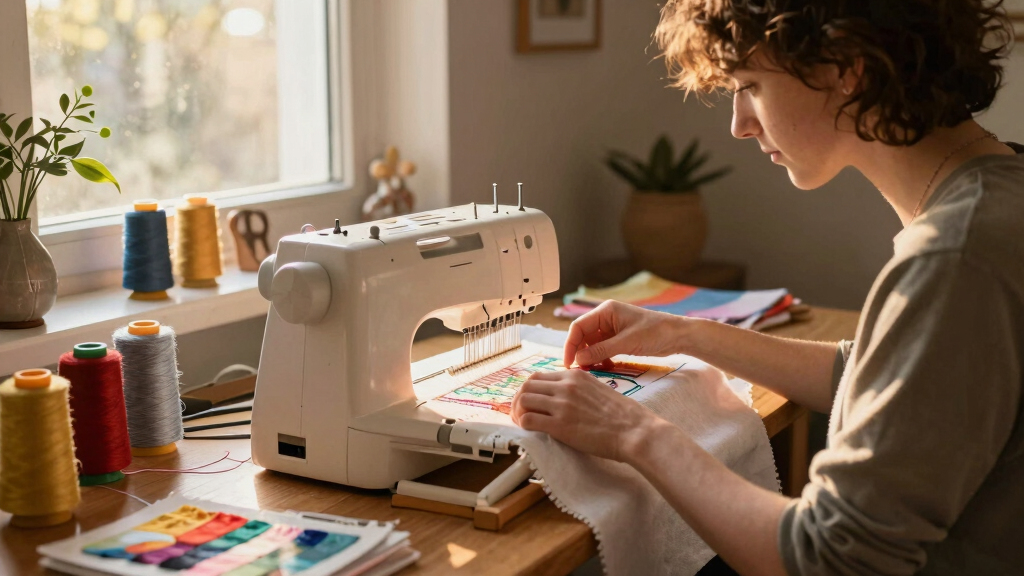
I evaluated each embroidery machine based on key factors that matter most to beginners: user-friendliness, setup simplicity, built-in designs, size of the embroidery area, and overall value. Machines with intuitive interfaces, helpful tutorials, and reliable performance ranked higher, while models with overly complicated controls or steep learning curves fell lower. Cost was also a consideration, ensuring options suited a range of budgets. This ranking emphasizes machines that offer a smooth learning experience without sacrificing essential features for growth.Factors to Consider When Choosing Best Embroidery Machine For Beginners
Choosing the best embroidery machine for beginners requires understanding several important factors. While features like larger embroidery areas and advanced stitch options are appealing, they can also add complexity. Ease of setup and operation often matter more at the start, so look for models with straightforward controls and helpful tutorials. Consider your space and budget, as larger machines tend to be more expensive and take up more room. Additionally, think about connectivity options such as WiFi or USB, which make design transfer much easier. Finally, weigh the included accessories to see if they align with your immediate needs or if you’ll need to purchase extras later.Ease of Use and Learning Curve
For beginners, an intuitive interface and simple setup are essential. Machines with touchscreens, clear instructions, and automatic features like threaders or cutters significantly reduce frustration. Avoid overly complex models that require extensive manual reading or manual adjustments, as these can slow down your learning process. The goal is to find a machine that encourages experimentation without feeling overwhelming, so prioritize models with good customer support and beginner-focused tutorials.
Embroidery Area Size
The size of the embroidery area directly impacts what projects you can undertake. Smaller areas, like 4″ x 4″, are more compact and generally easier to manage but limit your design options. Larger areas, such as 6.7″ x 11″, provide more flexibility for bigger projects but often come with increased learning curves and higher price tags. Beginners should choose a size that balances workspace with ease of handling, considering their typical projects and available space.
Built-in Designs and Customization
Preloaded designs can jumpstart your projects, especially if you’re eager to start creating right away. Machines with a higher number of built-in designs offer more variety without additional purchases. However, the ability to import custom designs via USB or WiFi can expand your creative options significantly. Beginners should look for models that strike a good balance—enough built-in designs to get started, with flexible options for adding more as they grow.
Connectivity and Compatibility
Wireless features like WiFi or Bluetooth simplify design transfer, saving time and reducing hassle. USB ports are also common and straightforward for importing designs. Consider whether the machine’s software is user-friendly and compatible with your computer or mobile device. Connectivity options can significantly enhance your experience, especially as you progress to more complex projects requiring frequent design updates.
Price and Included Accessories
Budget is a key consideration, but spending a little more often yields better features and durability. Many beginner models include essential accessories like hoops, threads, and starter kits, which add value and convenience. Be wary of models with minimal accessories, as you’ll likely need to purchase extras later. Look for a balance between affordability and the inclusion of useful tools to start confidently without unexpected costs.
Frequently Asked Questions
Can I upgrade or add designs to a beginner embroidery machine later?
Most beginner-friendly embroidery machines allow you to add new designs via USB or WiFi, making it easy to expand your collection over time. Some models also support downloadable designs from their apps or online stores. As you become more experienced, you may want to upgrade to a machine with a larger memory or more advanced software, but starting with a model that supports design import keeps future growth flexible and affordable.
Is a larger embroidery area always better for beginners?
Not necessarily. While a larger embroidery area offers more project flexibility, it also makes the machine more complex and often more expensive. For beginners, a moderate size like 4″ x 4″ or 5″ x 7″ provides enough space for most projects while remaining manageable and easier to control. Larger machines are better suited for those who plan to take on bigger, more ambitious projects early on or who want to grow into a more advanced setup gradually.
How important is the number of built-in designs in a beginner machine?
The number of built-in designs can be helpful for immediate project variety, but it shouldn’t be the sole deciding factor. A machine with fewer designs but better ease of use and reliable performance might be a smarter choice for a beginner. As skills grow, the ability to import additional designs becomes more valuable than a high initial count. Focus on a balance that gets you started easily while allowing for future customization.
Do I need special software to use a beginner embroidery machine?
Most beginner models come with included software or mobile apps designed to transfer and manage designs easily. These tools are typically user-friendly, requiring minimal technical knowledge. If you want more advanced editing or design capabilities later, you may consider purchasing additional software, but at the start, the bundled options usually suffice for learning and basic projects.
What features make a machine more suitable for complete beginners?
A beginner-friendly embroidery machine typically features a simple touchscreen, automatic threading, minimal setup steps, and preloaded designs. It should also have clear instructions and customer support options. Machines that prioritize ease of use over complex features tend to foster confidence and help new users develop their skills comfortably. Investing in such a model reduces frustration and encourages continued learning.
Conclusion
The best overall choice for most beginners is the Brother PE545, thanks to its balance of simplicity and reliable performance. If you prioritize value, the PooLin EOC03 offers good features at a lower price point. For those willing to invest in a more versatile machine, the Smartstitch S-1001 provides larger embroidery areas and advanced capabilities suitable for growing skills. Newcomers should look for models with intuitive interfaces, moderate embroidery sizes, and helpful included accessories. More experienced hobbyists seeking larger projects or more design flexibility might prefer the higher-end options, but for most beginners, a straightforward, user-friendly machine will foster the best learning experience. As an affiliate, we earn on qualifying purchases.Fall Picks
fall essentials