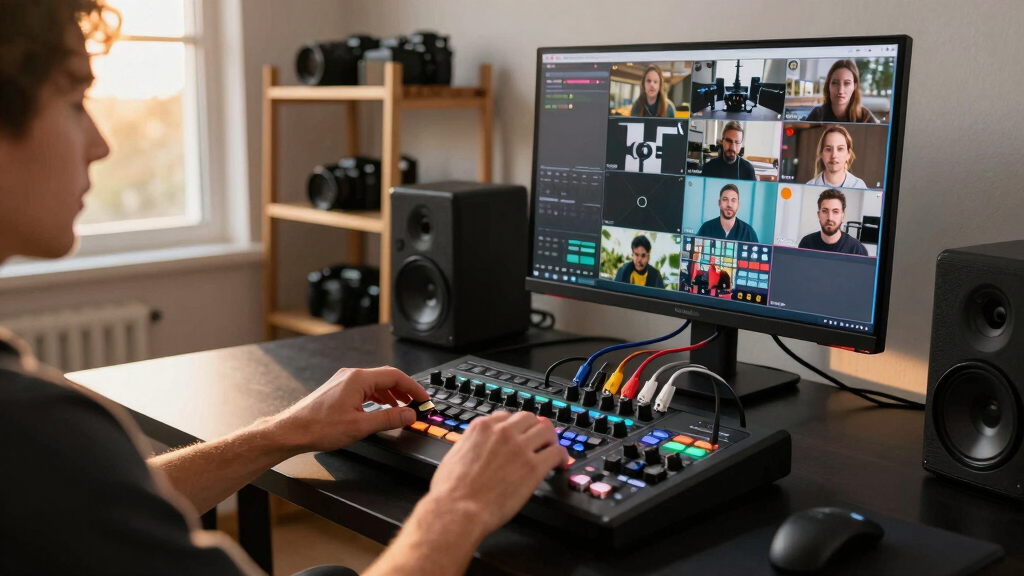

If you’re searching for the best live streaming switcher, you’re likely balancing features, ease of use, and budget. The Blackmagic Design ATEM Mini Pro stands out as the top overall pick for its professional features and reliable performance. For those on a tighter budget, the RGBlink Mini V3 offers excellent versatility at a lower price point, while the Osee GoStream Deck HDMI Pro excels for multi-camera setups. Each option presents tradeoffs between complexity, input options, and price, making it essential to understand your specific streaming needs. Continue reading for a detailed comparison of these top contenders and what makes each one unique.
Key Takeaways
- The best live streaming switchers balance input versatility with ease of use, often sacrificing complexity for simplicity or vice versa.
- Professional-grade options like the Blackmagic ATEM Mini Pro deliver advanced features but come at a higher cost and learning curve.
- Budget-friendly models such as the RGBlink Mini V3 provide solid performance for casual or semi-professional streamers without overwhelming complexity.
- Multi-camera setups benefit most from switchers with SDI inputs and PTZ control, though these features often increase price and setup time.
- User interface and control options, such as touch screens and cloud customization, significantly impact workflow efficiency and ease of operation.




More Details on Our Top Picks
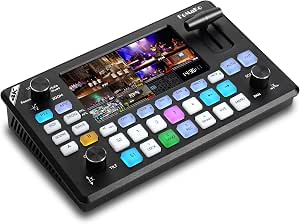
Osee GoStream Deck HDMI Pro Live Streaming Multi Camera Video Mixer Switcher with NDI Updatable
This switcher stands out for its comprehensive feature set tailored to broadcast-quality streaming. It offers 4 HDMI inputs, 2 HDMI outputs, dual video sources, and a built-in SD card recorder, making it ideal for multi-camera setups like church broadcasts or events. Its ability to stream to 3 platforms simultaneously and support for both landscape and portrait modes makes it highly versatile. Compared to the Blackmagic ATEM Mini Pro, the Osee GoStream Deck provides more extensive audio and graphics controls, though it only accepts 1080p sources—limiting ultra HD workflows. The control panel with macros, T-Bar, and multi-view enhances live production, but the device runs hot and lacks a dedicated power switch, which could be inconvenient during extended sessions. Overall, this is a top-tier choice for users needing broadcast-level features in a compact package.
Pros:- Supports simultaneous multi-platform streaming and multi-source recording
- Rich control options including macros, graphics overlay, and upstream/downstream keyers
- Dual HDMI outputs for multi-view and program monitoring
- Supports both landscape and portrait streaming modes
Cons:- Runs noticeably hot, requiring additional cooling solutions
- Lacks a physical power switch, needing unplugging for shutdown
- Limited to 1080p resolution only
Best for: Professional live streamers, educators, or event producers requiring multi-source control and platform streaming.
Not ideal for: Casual streamers or those working exclusively in 4K, as it only supports 1080p sources and may require additional cooling.
- HDMI Inputs:4
- HDMI Outputs:2
- SD Card Slot:Yes
- Streaming Platforms:3
- Resolution Support:1080p
- Control Panel:Macro, T-Bar, Multi-view
Bottom line: Ideal for broadcasters and professionals seeking a versatile, broadcast-quality streaming switcher with extensive features.
Tenveo 4K60FPS HDMI Video Switcher Mixer, 4*SDI & 4*HDMI Input, 5CH Live Streaming Switcher, 5.5’’ FHD Screen, 1080P60FPS Output, USB Video Recording, Support PTZ Camera and Controller, NDI Included
Compared with the Osee GoStream Deck, the Tenveo PC500 offers 4K60FPS input support and SDI connectivity, making it suitable for high-end productions or studio environments. Its 5.5-inch FHD touchscreen simplifies control, and support for PTZ camera integration streamlines multi-angle shots. It supports two simultaneous streaming platforms and records in real time, ideal for churches, corporate events, or educational webinars. However, it is bulkier and slightly more expensive than basic models like the RGBlink Mini, and its interface can be complex for beginners. The device’s robust build and advanced features make it a strong choice for those needing high resolution and professional connectivity, though it may be overkill for casual users. Overall, this switcher balances affordability with professional features, especially for 4K workflows.
Pros:- Supports 4K60FPS input and SDI connectivity
- Built-in 5.5’’ FHD touchscreen for intuitive control
- Supports two platforms simultaneously with USB recording
- PTZ camera control with presets and AI tracking
Cons:- Larger footprint and higher cost compared to compact models
- Interface may be overwhelming for beginners
- No native portrait mode support
Best for: Medium to large production environments, church broadcasts, or educational institutions needing 4K input and SDI connectivity.
Not ideal for: Casual streamers or solo content creators with limited space or budget, as it’s larger and more complex than simpler switchers.
- Inputs:4 HDMI, 4 SDI
- Output Resolution:1080p60
- Screen Size:5.5 inch FHD
- Streaming Platforms:2
- Recording:USB
- PTZ Support:Yes
Bottom line: Best suited for professional setups requiring 4K input, SDI, and multi-platform streaming with clear control interface.
RGBlink Mini Video Mixer Switcher with 4 x HDMI Inputs 2K Input/Output Real Time Live Streaming, Support Output 6 Pictures PVW and PGM, for Facebook, YouTube, Instagram, Tiktok, RTMPS
The RGBlink Mini offers a compact, user-friendly solution for solo streamers and small studios. With 4 HDMI inputs supporting 2K resolution, it handles multi-camera feeds with ease, offering 6-picture preview and program outputs. The device’s small touchscreen and straightforward controls make it accessible for beginners, while its compatibility with OBS and vMix ensures ease of integration into existing workflows. It also supports 14 transition effects and multiple PIP layouts, making it versatile enough for casual productions or gaming streams. However, compared to larger, more feature-rich switchers like the Tenveo PC500, it lacks advanced PTZ control, SDI inputs, and 4K support, limiting its use in high-end environments. Nonetheless, it excels for straightforward multi-camera streaming in small setups.
Pros:- Supports 4 HDMI inputs at 2K resolution
- User-friendly touchscreen interface
- Supports multiple transition effects and PIP layouts
- Compatible with popular streaming software like OBS and vMix
Cons:- Limited to 2K resolution, not suitable for 4K workflows
- No SDI inputs or PTZ control
- Basic control panel with fewer advanced features
Best for: Solo streamers, gamers, or small content creators seeking an easy-to-use, compact switcher with decent multi-camera support.
Not ideal for: Large productions or professional broadcasters requiring SDI, 4K support, or extensive control features.
- Inputs:4 HDMI
- Resolution Support:2K
- Output:6 Picture PVW and PGM
- Transition Effects:14
- Control Type:Touchscreen
- Streaming Compatibility:OBS, vMix
Bottom line: Perfect for solo streamers or small studios needing simple multi-camera switching with quick setup.
FoMaKo 4K HDMI Video Mixer Switcher, 5.5 Inch FHD LCD Screen, 4-Channel HDMI Live Streaming Switcher, 4K 60FPS Input, 1080p 60FPS Output, Support PTZ Controller,KC602
The FoMaKo KC602 offers a compelling suite of features for high-end live production, including 4 HDMI inputs supporting 4K60FPS, a 5.5-inch LCD touchscreen, and extensive I/O options. Its ability to control up to 4 PTZ cameras with presets and AI tracking makes it highly suitable for large live events, worship services, or studio broadcasts. The device supports 3-platform streaming and real-time USB recording, making it versatile for both live output and post-production. While it provides rich effects, transitions, and professional audio mixing, its complexity can be intimidating for beginners. Additionally, the device’s size and advanced controls make it more suitable for dedicated production environments rather than portable setups. Overall, this switcher is a robust tool for demanding multi-camera productions requiring detailed control and high resolution.
Pros:- Supports 4K60FPS HDMI inputs
- PTZ camera control with presets and AI tracking
- Multiple professional transitions and effects
- Supports multi-platform streaming and USB recording
Cons:- Relatively complex setup with a steep learning curve
- Larger size not suitable for mobile use
- Higher price point for advanced features
Best for: Large-scale live productions, churches, or professional studios needing 4K input, PTZ control, and multi-platform streaming.
Not ideal for: Casual or solo streamers seeking simple operation or portable solutions, due to its size and complexity.
- Inputs:4 HDMI
- Support:4K 60FPS
- Screen Size:5.5 inch LCD
- Streaming Platforms:3
- Multi-camera Control:PTZ with presets
- Transitions:20+
Bottom line: Best for demanding multi-camera productions that need high resolution, PTZ control, and extensive effects.
Blackmagic Design ATEM Mini Pro HDMI Live Stream Switcher (SWATEMMINIBPR)
The ATEM Mini Pro is a well-known choice for small-to-medium productions, offering 4 HDMI inputs, multi-view, and a built-in 6-input audio mixer. It supports professional transitions, upstream keys, and a downstream keyer, making it suitable for business presentations, educational webinars, or eSports streams. Its straightforward interface and reliable performance make it an attractive option for budget-conscious users wanting broadcast-quality features without complex setup. Compared to the higher-end models like the Tenveo PC500 or FoMaKo KC602, it lacks SDI inputs and 4K support, but its compact design and rich features make it ideal for small studios. The USB webcam output and multiview support make it easy to integrate with streaming software. Overall, it balances affordability with professional features for smaller setups.
Pros:- Supports 4 HDMI inputs with multi-view
- Includes professional transition effects and upstream/downstream keys
- Built-in 6-channel audio mixer
- Compact and portable
Cons:- Limited to 1080p resolution, not suitable for 4K workflows
- No SDI inputs or advanced PTZ control
- Basic control interface compared to high-end switchers
Best for: Small studios, educational institutions, or amateur broadcasters seeking quality with a lower investment.
Not ideal for: Large-scale productions or those requiring SDI, 4K, or extensive PTZ camera controls.
- Inputs:4 HDMI
- Resolution Support:1080p
- Audio:6-channel mixer
- Multiview:Yes
- Outputs:USB webcam
- Size:Small and portable
Bottom line: Excellent for small-scale productions needing reliable broadcast features on a budget.
Osee GoStream Duet Multiple Camera SDI and HDMI Live Stream Video Mixer Switcher
This product stands out for its highly flexible input options, supporting unlimited SDI, HDMI, USB-C, NDI HX sources, and playback, making it ideal for complex multi-camera setups. Compared with the Blackmagic Design ATEM Mini Pro, the Osee GoStream Duet offers broader input compatibility and multiple control methods, including software and GPIO control, which appeals to professional users. Its rich key effects, transitions, and multi-platform streaming capacities provide a comprehensive solution, but the complexity of setup and advanced features might overwhelm beginners. The included features like simultaneous multi-platform streaming and direct Ethernet or phone hotspot streaming make it a top choice for live event producers needing reliability and flexibility. However, the extensive features come with a steeper learning curve and higher price point, which could be a downside for casual users.
Pros:- Supports unlimited SDI, HDMI, USB-C, and NDI HX sources for complex setups
- Multiple control options including GUI, software, and Bitfocus Companion
- Supports multi-platform streaming directly via Ethernet or phone hotspot
- Rich key effects and transition options for professional broadcast quality
Cons:- Steep learning curve due to extensive features and controls
- Higher cost compared to simpler switchers
Best for: Producers managing multi-camera live streams requiring extensive input flexibility and advanced control options.
Not ideal for: Casual streamers or hobbyists who prefer simple setups with minimal configuration.
- Input types:4 SDI, 4 HDMI, USB-C, NDI HX
- Output options:Multiple streams to 3 platforms
- Control methods:GUI, software for MAC & Win, Bitfocus
- Key effects:Chroma, Pattern, PIP, DSK
- Transitions:MIX, DIP, WIPE, T-Bar
- Streaming:Ethernet, phone hotspot, OBS, Vmix
Bottom line: This switcher is perfect for professional users needing maximum flexibility and multi-platform streaming capabilities.
RGBlink Mini V3 Video Switcher with Customizable Features via TAO Cloud – 4K HDMI Switcher, 2.1″ Touch Screen, Multi-Cam Live Streaming, Dual HDMI Output, Recording & PTZ Control
This model makes the most sense for small to mid-sized productions needing a compact device with professional features like dual HDMI outputs and a 2.1″ touch screen. It compares favorably to more expensive options like the Blackmagic ATEM Mini Pro by offering customizable features through TAO Cloud, including PTZ control and recording, which expand its functionality. Its ability to record directly to USB drives and add effects such as PIP and chroma key enhances creative flexibility, but the reliance on cloud activation plans potentially increases long-term costs. The compact design and touch interface simplify operation for beginners, yet the need to upgrade firmware and activate features might be a hurdle for non-technical users. It’s an ideal choice for content creators who want a versatile, cost-effective switcher with room to grow.
Pros:- Compact design with 4K HDMI support and dual outputs
- Customizable features via TAO Cloud, including PTZ control and recording
- Intuitive 2.1″ touch screen controls and T-bar for smooth switching
- Supports creative effects and multi-cam streaming
Cons:- Requires paid plans for premium features, increasing ongoing costs
- Firmware updates and cloud activation can be cumbersome for some users
Best for: Small studios, educators, or content creators seeking an affordable yet flexible multi-camera switcher with cloud-based customization.
Not ideal for: Large broadcast productions or users seeking fully hardware-based, plug-and-play solutions without subscription plans.
- Input types:4 HDMI
- Outputs:2 HDMI
- Resolution:4K
- Screen size:2.1 inch
- Features:PTZ control, recording, effects
- Connectivity:Ethernet, UVC webcam mode
Bottom line: Ideal for small-scale productions needing a customizable, affordable switcher with future expansion options.
CINETREAK Stream 1 Live Streaming Switcher 4 HDMI & AUX Inputs, PTZ Control Dual RTMP Streaming Chroma/Luma Key Recording & Playback and Landscape & Portrait Livestreaming(NDI Updatable)
This switcher earns its spot through its extensive connectivity, supporting up to 4 HDMI inputs and an AUX channel for media library access, making it suitable for studio and in-field use. It offers dual RTMP streaming, chroma/luma keying, and PTZ control for up to 4 cameras, providing a full virtual studio experience. Compared to the RGBlink Mini V3, the CINETREAK Stream 1 is more geared toward professional studio environments with its multiple outputs and advanced virtual effects. Its ability to support both landscape and portrait formats adds flexibility for social media and multi-platform distribution. Nevertheless, its complexity and feature set can be overwhelming for casual users, and the device’s size and weight make it less portable than some options. It’s best suited for professional broadcasters or serious content producers.
Pros:- Supports 4 HDMI inputs and AUX media library access
- Dual RTMP streaming capabilities for multi-destination live broadcasts
- Built-in chroma/luma key, PTZ control, and recording features
- Flexible orientation support for landscape and portrait streaming
Cons:- Complex configuration and setup process
- Bulkier and heavier, less portable for field use
Best for: Professional studios or broadcasters needing a highly versatile switcher with advanced streaming, keying, and PTZ control.
Not ideal for: Hobbyists or small content creators with simple streaming needs due to its complex setup and higher cost.
- Input types:4 HDMI, 1 AUX
- Outputs:PGM, AUX
- Streaming:Dual RTMP
- Keying:Chroma and Luma
- PTZ Control:Up to 4 cameras
- Resolution:4K inputs
Bottom line: Best suited for professional environments requiring extensive control, virtual studio features, and multi-platform streaming.
Osee GoStream Duet Kit All in One Pro Live Streaming Multi-Camera Video Mixer Switcher Recorder Player Kit 4 HDMI&SDI in USB-C I/O with 14 Inch Monitor Built-in DC-to-Type C Cable NDI(Free Activated)
This all-in-one kit excels in portability and ease of use, featuring a compact design weighing about 5kg with a built-in 14-inch monitor, making it suitable for mobile live streaming on the go. Compared to standalone switchers like the RGBlink Mini V3, the Osee Duet Kit offers an integrated package with multiple inputs (HDMI & SDI), dual outputs, and a variety of power options, including USB power banks. Its support for NDI, after free activation, allows for flexible networked camera setups, ideal for small studios or event coverage. While it provides comprehensive connectivity, the device’s smaller size may limit advanced control or customization, and some users might find the interface less intuitive than larger, more dedicated switchers. This kit is perfect for creators needing a portable, all-in-one streaming solution.
Pros:- Portable design weighing approx. 5kg with a built-in 14″ monitor
- Supports HDMI & SDI inputs, dual outputs, and USB-C I/O
- Includes multiple power options including USB power banks
- Pre-activated NDI support for networked cameras
Cons:- Limited advanced control features compared to larger switchers
- Smaller form factor may restrict complex workflows
Best for: Mobile streamers, small studio operators, or event professionals requiring a portable, all-in-one live production setup.
Not ideal for: Large-scale productions or users needing advanced control and extensive customization beyond the built-in features.
- Input types:4 HDMI & SDI
- Outputs:2 HDMI
- Monitor size:14 inch
- Power options:AC, DC, USB
- Networking:NDI (free activation)
- Weight:Approx. 5kg
Bottom line: Best for mobile or small-scale live productions where portability and all-in-one functionality are priorities.
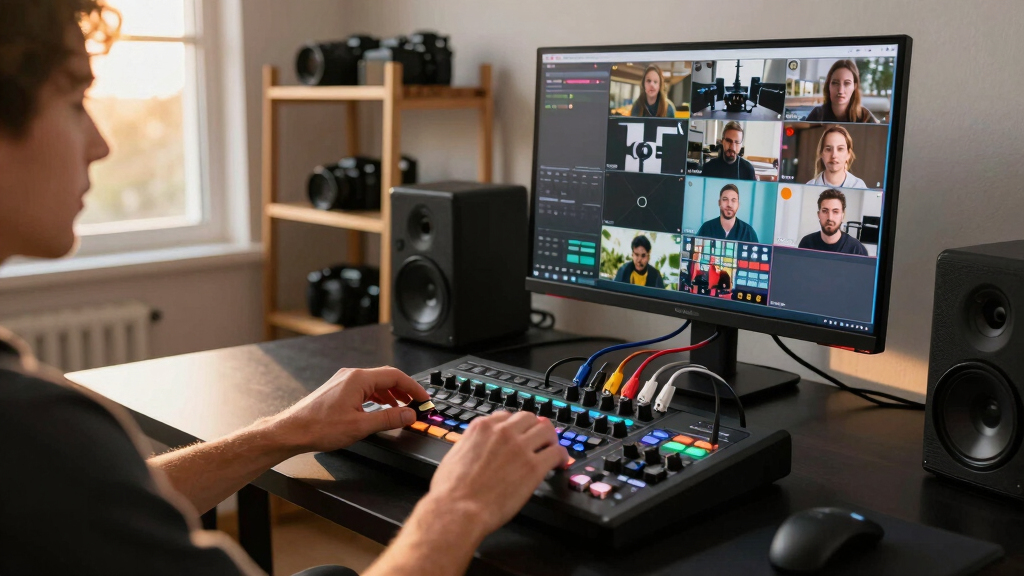
How We Picked
In selecting these products, I evaluated key factors that matter most to live streamers, including input options (HDMI, SDI), output quality, ease of use, and build quality. Performance reliability and feature richness were prioritized for professional use, while affordability and simplicity guided choices for beginners and casual streamers. Products were ranked based on versatility, user interface, expandability, and value for money. The goal was to identify options suitable for a wide range of use cases—from simple solo streams to complex multi-camera productions—ensuring each pick offers a clear advantage within its category.Factors to Consider When Choosing Best Live Streaming Switcher
Choosing the right live streaming switcher depends on understanding your specific needs and technical comfort. While some switchers offer extensive input options and professional features, others prioritize simplicity and affordability. Considering factors like input types, control methods, and future expandability can prevent costly mistakes and ensure your setup meets your goals now and later.Input and Output Options
Assess the number and type of inputs your setup requires. HDMI is common for most consumer and semi-professional gear, but SDI inputs are essential for broadcast-quality cameras and longer cable runs. Outlets for recording or streaming, such as USB or NDI, also matter—especially if you plan to integrate with other production tools or software. Picking a switcher with the right input/output mix ensures smoother workflows and reduces the need for additional adapters or converters.
Ease of Use and Control
Interface design impacts how quickly you can switch scenes and manage your stream. Touch screens, physical buttons, and remote control options significantly influence usability. For beginners, a straightforward interface reduces setup time and errors, while professionals might prefer customizable controls and integration with external devices. Avoid overly complex systems if you prioritize speed and simplicity, but be prepared for a learning curve with more advanced models.
Video Quality and Reliability
The output resolution and frame rate should match your streaming goals. For high-quality broadcasts, look for switchers supporting 4K or at least 1080p at 60fps. Reliability is critical—unstable or laggy switchers can ruin your stream. Consider the build quality and brand reputation, especially if you plan frequent or long sessions, to prevent unexpected failures.
Expandability and Future-Proofing
Think about your future needs. Will you add more cameras, or upgrade to higher-quality feeds? Models with additional inputs, NDI support, or PTZ control can grow with your setup. Conversely, over-investing in features you won’t use might lead to unnecessary expenses. Balance your current requirements with potential growth to select a switcher that remains useful over time.
Price and Value
While high-end models offer advanced features, they also come with premium prices. Budget options can suffice for small streams but may lack some professional features needed for larger productions. Determine your budget upfront, then prioritize features that deliver real value—such as reliable performance, ease of use, and support for your camera setup—to avoid overspending or under-equipping.
Frequently Asked Questions
Can I use a live streaming switcher with only HDMI cameras?
Absolutely. Most consumer and semi-professional switchers support HDMI inputs, which are compatible with a wide range of cameras. If you only plan to use HDMI devices, focus on switchers with sufficient HDMI inputs and consider those that support high resolutions and frame rates. However, if you anticipate adding SDI cameras later, choosing a switcher with SDI inputs might offer more flexibility in the long run.
Is a built-in recording feature necessary in a live streaming switcher?
Having integrated recording can be highly convenient, especially if you want to archive your streams or create content without additional hardware. However, it isn’t strictly necessary; you can record your stream via the streaming software or external recorder. If recording is a priority, select a switcher with built-in capabilities that match your quality expectations and storage needs.
How important is support for PTZ cameras?
Support for PTZ (Pan-Tilt-Zoom) cameras can streamline multi-camera setups by enabling remote control of camera angles within the switcher. This feature is especially valuable for professional productions or larger setups where manual camera adjustments are impractical. However, it often adds to the cost and complexity, so weigh whether your production benefits sufficiently justify the investment.
Should I prioritize 4K support in my live streaming switcher?
If your content is destined for 4K screens or you want maximum future-proofing, investing in a 4K switcher makes sense. However, 4K switchers tend to be more expensive and require higher bandwidth. For most streaming platforms, 1080p at 60fps remains sufficient, especially if your current hardware isn’t 4K-ready. Consider your target audience and budget before opting for 4K support.
What’s the difference between hardware and software switchers?
Hardware switchers are dedicated devices designed specifically for live switching, offering real-time performance and often more stability during broadcasts. Software switchers run on a computer or streaming device, providing flexibility and easier updates, but may introduce latency or stability issues depending on hardware and software quality. Your choice depends on your need for portability, complexity, and the level of control you desire.