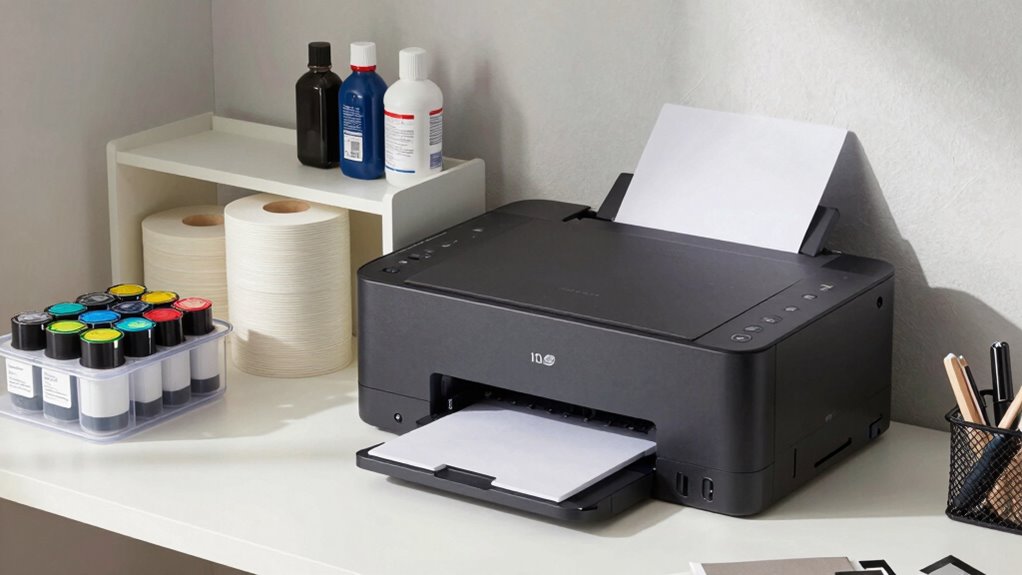

Keep essential items like ink cartridges, paper, and your printer nearby for quick access, and use wireless features to reduce clutter. Store extra ink, spare paper, manuals, and cleaning supplies in drawers or cabinets away from your workspace. Regularly organize and review supplies to stay tidy. Keeping non-urgent items out of reach helps maintain focus and efficiency. Stay tuned to discover more tips to create a functional and organized printer station.
Key Takeaways
- Keep essential items like ink cartridges, paper, and cleaning tools within arm’s reach for quick access.
- Store spare ink, extra paper, manuals, and non-urgent supplies in designated storage areas away from the workstation.
- Use wireless printing to reduce clutter from cords and maintain a clean, organized workspace.
- Regularly update firmware and check ink levels to ensure smooth printer operation.
- Label storage containers and review supplies periodically to prevent clutter and maintain efficiency.

Ever wonder how to keep your printer station tidy and efficient? The key is knowing what belongs right at your fingertips and what can be stored away. Your printer station should be a dedicated space that minimizes clutter and maximizes productivity. Start by keeping essential items like ink cartridges, paper, and your printer itself close at hand. Regular ink cartridge maintenance is vital—check ink levels frequently, replace cartridges promptly, and handle them carefully to avoid leaks or damage. This keeps your printer running smoothly and prevents unnecessary interruptions. When it comes to wireless connectivity tips, confirm your printer is within a good range of your Wi-Fi router, and keep cables out of sight to maintain a clean look. Using wireless features allows you to print from multiple devices without cluttering your workspace with extra cords, which can quickly turn your station into a mess. Maintaining wireless connectivity ensures seamless printing and reduces cable clutter. Additionally, ensuring your printer’s firmware is up to date can improve performance and security.
Keep essential printer supplies nearby and use wireless features to stay organized and clutter-free.
Items that are necessary for daily printing tasks should stay nearby, but other supplies and paperwork can be stored elsewhere. For example, extra ink cartridges, spare paper, and cleaning supplies don’t need to clutter your desk. Instead, designate a storage bin or cabinet nearby to keep these items organized yet accessible. This way, you avoid the chaos that comes with having everything within arm’s reach, which can slow you down or cause accidental spills. Keeping your workspace clear of unnecessary clutter improves focus and efficiency. Also, consider organizing your supplies—labeling containers or drawers helps you find what you need quickly, saving time during busy periods. Incorporating storage solutions tailored to your space can further streamline your workflow and prevent clutter accumulation.
Your printer’s user manual and troubleshooting guides are useful, but they don’t need to be front and center. Store these in a drawer or a filing system to keep your station neat. This prevents the space from feeling overcrowded while still ensuring you can access information when needed. Additionally, digital copies of manuals or setup guides can be stored on your computer or cloud storage, reducing physical clutter further. Regularly reviewing printer maintenance routines can help prevent common issues and extend the life of your equipment.
Ultimately, your goal is creating a balanced setup where everything you need is close enough for convenience but not so much that it causes chaos. Keep your essential printing supplies, ink cartridge maintenance tools, and wireless connectivity tips within arm’s reach, and store the rest away. A well-organized printer station boosts your productivity and keeps your workspace looking professional and inviting. With a little effort, you can maintain a tidy station that makes printing easy, stress-free, and efficient every day.

Skyink Compatible Ink Cartridge Replacement for Canon 245XL 246XL 245 246 XL (Black Color 2 Pack) PG245 CL246 MX490 MG2522 MX492 TR4520 TR4500 MG2520 TS3300 TS3322 MG2525 TR4522 TS3100 TS3122 TS3320
- Package Includes: 2-pack ink cartridges (black and color)
- Compatibility: Fits Canon Pixma models including MG, MX, TR, TS series
- Upgraded Chips: Features latest chips for stable printing
As an affiliate, we earn on qualifying purchases.
As an affiliate, we earn on qualifying purchases.
Frequently Asked Questions
How Often Should I Clean My Printer Station?
You should clean your printer station weekly to maintain proper printer maintenance and station organization. Regular cleaning prevents dust buildup, paper jams, and ink smudges, ensuring smooth operation. Wipe down surfaces, clear paper trays, and check for any debris. Keeping your station tidy not only prolongs your printer’s lifespan but also improves your workflow. Consistent cleaning makes your workspace more efficient and helps you catch issues early.
What Safety Precautions Are Needed for Printer Station Storage?
You might worry about safety, but proper printer station organization keeps you secure. Use safety storage tips like keeping chemicals away from papers, securing cords to prevent trips, and avoiding clutter that could cause accidents. Always unplug your printer before maintenance, and store sharp tools safely. These precautions protect you from hazards, ensuring your workspace remains safe and efficient, so you can focus on your work without worry.
How Do I Prevent Paper Jams in My Printer Station?
To prevent paper jams in your printer station, always use high-quality paper suited for your printer type. Keep the paper stack neatly aligned and avoid overloading the tray. Regularly check and replace worn printer ink and paper to guarantee smooth operation. Clean the rollers often, and handle paper carefully to prevent wrinkles or tears. These steps help maintain ideal paper flow, reducing the chances of jams and ensuring your printer runs smoothly.
Which Items Should I Avoid Storing Near the Printer?
You should avoid storing anything that could turn your printer into a disaster zone, like tangled paper stacks or misplaced ink cartridges. Keep ink cartridge placement precise—don’t let them shift or leak—and use proper paper stacking techniques to prevent jams. Avoid clutter, liquids, or sharp objects nearby, as they can cause damage or mess. Keeping these items away guarantees your printer runs smoothly and avoids unnecessary chaos.
How Can I Improve the Airflow Around My Printer Station?
To improve airflow around your printer station, prioritize airflow optimization by ensuring there’s enough space on all sides of your printer. Use ventilation solutions like a small fan or air purifier nearby to promote circulation. Keep the area clear of clutter that can block airflow, and regularly clean vents or filters. These steps help dissipate heat, reduce dust buildup, and prevent overheating, ensuring your printer runs smoothly and efficiently.

Lifewit Paper Organizer Storage with Lid, Fits 8.5" x 11" Letter, 4 Pcs
- Size: 13.43 x 9.92 x 2.36 inches
- Capacity: Holds 500 sheets per box
- Material: High-quality BPA-free PP plastic
As an affiliate, we earn on qualifying purchases.
As an affiliate, we earn on qualifying purchases.
Conclusion
Keep your printer station tidy by storing extra paper, ink, and supplies elsewhere. Keep your frequently used items within reach, organized, and easy to find. Keep your workspace clean, clear of clutter, and functional. Keep your essentials at hand, your space efficient, and your mind focused. By maintaining this balance, you create a printer station that’s practical, productive, and stress-free—making your printing tasks smoother, simpler, and more satisfying every time you print.
As an affiliate, we earn on qualifying purchases.

Original Printer Cleaning Sheets – Reliable Solution for Cleaning Rollers & Fixing Paper Feed Issues – Compatible with Inkjet & Laser Printers (8.5 x 11" – 10 Pack)
- Made in the USA: Reusable sheets for long-term use
- Universal Compatibility: Fits inkjet and laser printers
- Standard Size: 8.5 x 11 inches for versatile use
As an affiliate, we earn on qualifying purchases.
As an affiliate, we earn on qualifying purchases.