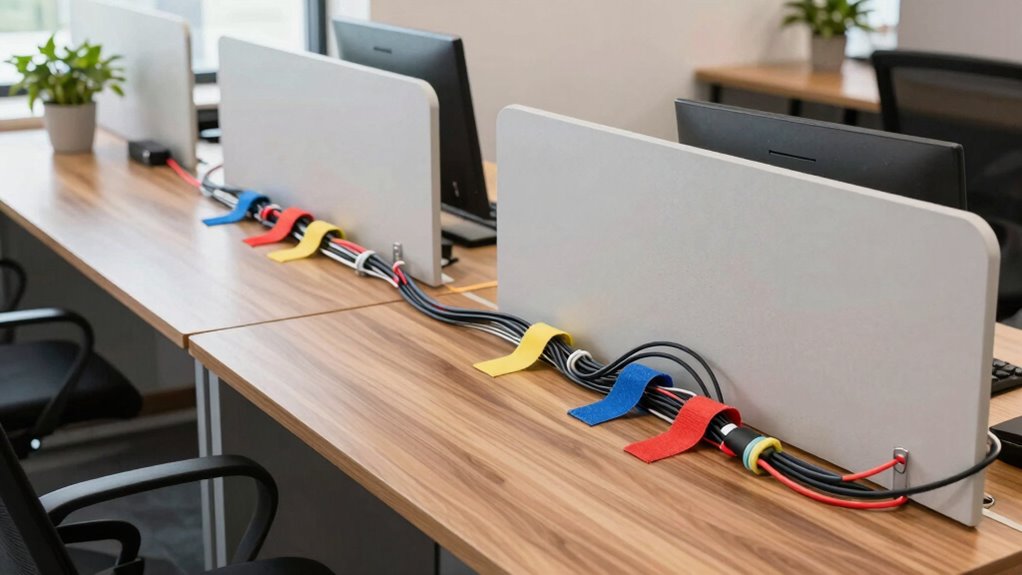
To manage cables in shared spaces effectively, start by gathering and sorting cords, then bundle them with cable ties or velcro straps. Use adhesive cable clips along desks and walls to route cables neatly, reducing clutter and hazards. Label each cable with tags or colored tape for easy identification, preventing accidental disconnections. Incorporate cable trays under desks to keep cords off the floor and organized. Keep exploring to discover more simple fixes that can transform your workspace into a tidy zone.

Get the little things that make your day delivered free — and shop member deals
- Fast, free delivery on millions of items
- Access to Prime Big Deal Days deals on October 6–7
- Prime Video, Amazon Music and more included
Key Takeaways
- Use cable clips and adhesive organizers along desks and walls for neat routing in shared spaces.
- Bundle cables with Velcro straps or reusable twist ties to reduce clutter and prevent tangles.
- Label cables with tags or colored tape for easy identification and quick troubleshooting.
- Incorporate cable management trays under desks to keep cords off the floor and organized.
- Position devices along straight cable paths to minimize strain and maintain a clean, ergonomic workspace.
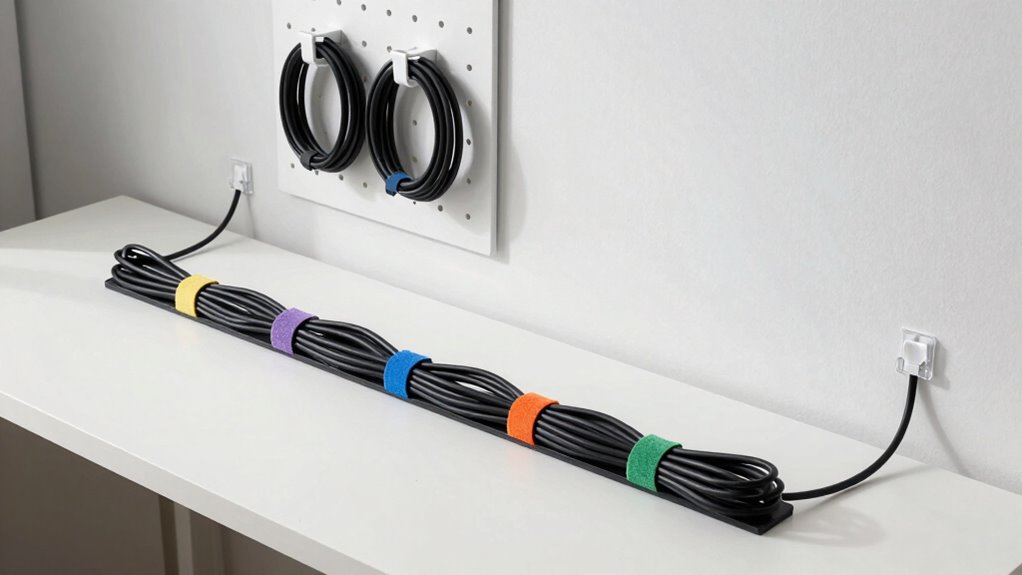
Keeping your workspace tidy can be a challenge, especially when tangled cables create clutter and frustration. When sharing a space with others, managing the cables for multiple devices becomes even more important. Luckily, there are simple DIY fixes that can help you organize your cables effectively, making your shared environment more functional and less chaotic. One of the best ways to reduce clutter is to switch to wireless solutions whenever possible. Using wireless keyboards, mice, speakers, and chargers eliminates the need for many cables altogether, freeing up space and reducing tangles. Wireless solutions not only simplify your setup but also contribute to a cleaner, more streamlined environment that everyone can enjoy. Additionally, exploring 3D scanning and printing technologies can help you create custom cable management accessories tailored to your space.
Switching to wireless devices helps reduce clutter and creates a cleaner, more organized workspace for everyone.
For the cables you can’t eliminate, invest in some DIY cable management techniques. Start by gathering all your cables and sorting them by purpose or device. Use cable ties, velcro straps, or reusable twist ties to bundle cords that run in the same direction. This prevents them from crossing and tangling, making it easier to access what you need without pulling everything apart. Consider installing simple cable clips or adhesive cable organizers along the edge of desks or walls. These keep cords neatly routed and prevent them from slipping off surfaces or getting caught in foot traffic, which is common in shared spaces. Incorporating cable routing techniques can further enhance your organization and prevent accidental disconnections.
Creating designated zones for your devices can also enhance your ergonomic setup. Position your monitors, keyboards, and mice so that cables run straight to their power sources and peripherals. This minimizes strain and clutter, and it’s easier to troubleshoot or replace cables when needed. To further improve ergonomics, you might want to build or buy a cable management tray that attaches underneath your desk. This keeps cables off the floor and out of sight, reducing tripping hazards and making cleaning easier. When everyone in a shared space adopts these habits, it creates a more comfortable environment for work or leisure.
Finally, consider labeling your cables with tags or colored tape. This small step helps identify which cable belongs to which device, saving time and preventing accidental unplugging. For shared spaces, clear labeling ensures that everyone can quickly find what they need without confusion. With a combination of wireless solutions and simple DIY cable management fixes, you can transform a cluttered, frustrating workspace into an organized, ergonomic haven. These small but effective changes make a big difference, especially when everyone contributes to maintaining a tidy environment. By taking control of cable clutter, you not only improve the look of your shared space but also boost productivity and comfort for everyone involved.
Cable management clips for desks
As an affiliate, we earn on qualifying purchases.
As an affiliate, we earn on qualifying purchases.
Frequently Asked Questions
How Do I Hide Cables Behind Furniture Effectively?
To hide cables behind furniture effectively, start with cable concealment techniques like using clips or sleeves to organize cords neatly. Then, integrate cables into your furniture by running them along the back or underside, securing them with adhesive strips or cable ties. This approach keeps cords out of sight, reduces clutter, and creates a clean look. Make sure to leave some slack for easy access and future adjustments.
What Materials Are Best for DIY Cable Organizers?
Think of your DIY cable organizer as the backbone of your tech sanctuary. Use sturdy materials like cable clips, Velcro straps, or even DIY options like cardboard and zip ties. Incorporate cable labeling for easy identification and guarantee smooth cable routing to prevent tangles. These materials keep your cables neat, accessible, and safe, transforming chaos into a clean, efficient setup that makes your shared space feel effortlessly organized.
How Can I Prevent Cables From Tangling Over Time?
To prevent cables from tangling over time, organize cable types separately using labeled zip ties or Velcro straps, which make Tangle prevention easier. Keep cables straight and avoid crossing them randomly. Use cable sleeves or conduits to contain multiple cables, reducing the chance of knots. Regularly check and adjust your setup, ensuring cables stay neat and untangled, especially in shared spaces where multiple devices connect frequently.
What Safety Precautions Should I Take During Cable Management?
Imagine a neatly organized space, free of chaos and danger. When managing cables, prioritize cable safety by unplugging devices before handling cords and avoiding overloading outlets. Keep cables away from water or heat sources to prevent electrical hazards. Use insulated tools if needed and make sure cords are properly secured to avoid tripping. Always inspect cables regularly for damage, and never force plugs into outlets—your safety depends on cautious, mindful cable management.
How Do I Maintain Cable Organization in Shared Workspaces?
To maintain cable organization in shared workspaces, you should regularly label cables for easy identification, preventing confusion and accidental disconnections. Keep power strips neatly placed and accessible, avoiding tangled cords or excessive strain. Encourage everyone to disconnect unused cables and return them to designated spots. Consistent upkeep, clear labeling, and proper power strip placement help guarantee a tidy, safe, and efficient shared workspace for all users.
As an affiliate, we earn on qualifying purchases.
Conclusion
By implementing these DIY cable management fixes, you’ll create a cleaner, safer shared space that everyone can enjoy. Plus, did you know that poorly managed cables can increase the risk of accidents by up to 20%? Taking a few simple steps now not only improves the look but also enhances safety and efficiency. So grab some supplies, get hands-on, and transform your shared area into a tidy, organized haven you’ll be proud of.
As an affiliate, we earn on qualifying purchases.
Cable labeling tags for electronics
As an affiliate, we earn on qualifying purchases.
As an affiliate, we earn on qualifying purchases.
NFL season / tailgating Picks
team gear
As an affiliate, we earn on qualifying purchases.