

To organize passwords securely, use strong, unique passphrases that are easy to remember but hard to guess. Never reuse passwords across accounts and avoid common patterns like “123456.” Rely on password managers to generate, store, and autofill complex passwords. Enable multi-factor authentication for added protection. Review your security setup regularly to stay ahead of threats. Continue exploring how to optimize your password management for maximum safety.
Key Takeaways
- Use a reputable password manager to generate, store, and autofill complex, unique passwords for each account.
- Organize passwords into categories (e.g., work, personal) within the manager for easier access and management.
- Regularly update your master password and review stored passwords for security and relevance.
- Enable multi-factor authentication on your password manager for added security.
- Avoid reusing passwords; create strong, memorable passphrases and update them periodically.
Understanding the Importance of Strong Passwords

Understanding the importance of strong passwords is crucial because they are the first line of defense against unauthorized access to your accounts. Without a robust password, attackers can easily break into your email, social media, or financial accounts, risking identity theft or financial loss. Long passwords, ideally 12 to 16 characters or more, provide better security than complex but shorter passwords. Passphrases made of random words or sentences are easier to remember and harder for hackers to crack. Avoid predictable patterns like “123456” or common sequences, and never reuse passwords across multiple sites. Creating unique, lengthy, and unpredictable passwords markedly reduces your risk of falling victim to credential stuffing or brute-force attacks, helping to protect your digital life. Additionally, understanding password complexity requirements can further strengthen your security measures.
Creating Memorable and Secure Passphrases

You can create strong, memorable passphrases by combining a few unrelated words or a simple sentence that’s easy to recall. Using personal but unique words guarantees your passphrase stands out while remaining secure against common attacks. Focus on simplicity and uniqueness to strike the right balance between security and memorability. Additionally, detecting passive voice in your writing can help improve clarity and engagement.
Crafting Easy Yet Strong Passphrases
Creating memorable yet strong passphrases is essential for balancing security and ease of use. To do this, choose a few unrelated words that are meaningful to you but hard for others to guess. Use a combination of nouns, verbs, and adjectives, and consider adding spaces or punctuation to improve readability. Avoid common phrases or predictable patterns, but make sure your passphrase remains easy to recall. Incorporate personal touches—like a favorite hobby or location—but stay away from obvious details. Keep it at least 12 characters long, as longer passphrases notably boost security. Practice rewriting your passphrase periodically or adding slight variations to keep it fresh. Strong passphrases are a crucial part of effective password management. This approach ensures your passphrase is both easy to remember and resistant to hacking attempts.
Using Personal but Unique Words
Using personal but unique words helps you craft passphrases that are both easy to remember and hard for others to guess. Focus on words that relate to your life, interests, or experiences but aren’t common knowledge. Combine these words into a phrase that’s meaningful to you but unlikely to be guessed, like a favorite hobby paired with a childhood memory. Incorporate spaces, capitalization, or simple substitutions to add complexity without sacrificing memorability. Avoid common phrases or predictable patterns; instead, create a unique sequence that only you understand. This approach balances security and recall, making it easier to maintain strong, memorable passwords. Personal but unique words turn a simple phrase into a robust defense against attackers. Additionally, understanding cloud security best practices can help you protect your passwords and personal data more effectively.
Avoiding Common Password Pitfalls

Many people fall into the trap of using common patterns like “123456” or repeated sequences, making their passwords easy to guess. Reusing passwords across multiple accounts greatly increases the risk of widespread access if one gets compromised. Choosing weak, predictable passwords leaves you vulnerable to attacks, so it’s essential to avoid these pitfalls and create unique, strong options. Additionally, employing secure essential oils for related concerns can help promote overall well-being and reduce stress that might lead to poor password choices.
Common Pattern Traps
Avoiding common password pitfalls is essential because attackers often exploit predictable patterns to gain unauthorized access. Many users unknowingly choose passwords based on familiar sequences, which makes cracking easier. Avoid patterns like repeated characters, keyboard sequences, or common substitutions such as “pa$$w0rd.” Recognizing these traps helps you create stronger, more secure passwords. Here’s a quick comparison:
| Pattern Trap | Better Approach |
|---|---|
| Repeating characters | Use varied character types and length |
| Sequential keys | Mix unrelated words or phrases |
| Common substitutions | Rely on passphrases or random words |
| Simple date or number | Incorporate unique, unrelated info |
Be vigilant: avoid these traps and choose unpredictable combinations to keep your accounts safe. Additionally, utilizing password managers can help generate and store complex passwords securely.
Reusing Passwords Risks
Reusing passwords across multiple accounts considerably increases your vulnerability to cyberattacks. If one account is compromised, attackers can access your other accounts easily. To reduce this risk, focus on unique passwords for each service. Here are key points to keep in mind:
- Credential stuffing attacks become effective when passwords are reused, allowing hackers to automate login attempts across sites.
- A breach in one platform can expose your entire digital footprint if the same password is used elsewhere.
- Reusing passwords hampers your ability to quickly identify compromised accounts, delaying response and recovery.
- Implementing smart energy management can help you stay vigilant about your digital security, paralleling how managing your home’s power systems reduces risks.
Using different passwords for every account makes it harder for attackers to gain access. Consider a password manager to generate and store unique, strong passwords securely, minimizing reuse and boosting your security.
Weak Password Choices
Choosing weak passwords can substantially undermine your security, especially if they follow predictable patterns or are commonly used. Attackers often exploit simple, familiar passwords to gain access. To avoid this, steer clear of common choices like “password,” “123456,” or “qwerty.” Use longer passphrases or unique combinations that are hard to guess. Here’s a quick look at common weak passwords:
| Easy to Guess | Common Patterns | Reused Passwords |
|---|---|---|
| password123 | 111111 | yourname |
| qwerty | abc123 | company2024 |
| 123456 | password | default |
Focus on creating strong, unpredictable passwords to keep your accounts secure. Additionally, understanding deep-sky imaging techniques can help you appreciate the importance of precise equipment setup and reliable data collection, which parallels the need for strong security practices in password management.
Utilizing Password Managers Effectively

Using a password manager is one of the most effective ways to enhance your online security. It helps generate, store, and autofill strong, unique passwords, reducing the risk of reuse and weak choices. To use it effectively: 1. Regularly update your master password to keep access secure. 2. Enable two-factor authentication for added protection of your password manager account. 3. Keep the software current to benefit from the latest security features and patches. Additionally, consider local automation features to streamline your password management routines and increase convenience.
Implementing Multi-Factor Authentication
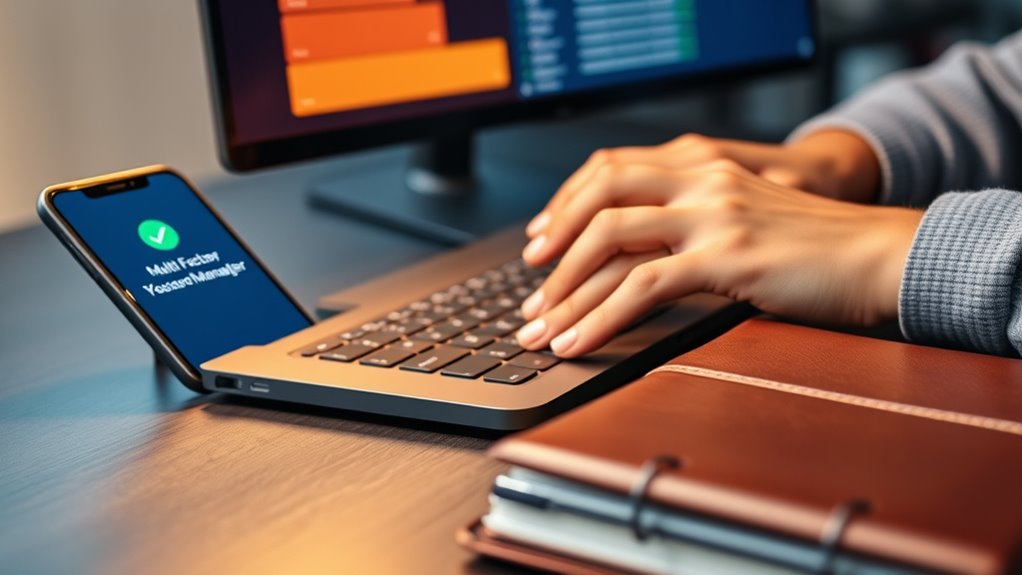
Implementing multi-factor authentication (MFA) is essential for strengthening your account security beyond just passwords. It adds an extra layer of protection by requiring a second verification step, such as a code from an app, a biometric scan, or a security key. By enabling MFA on your critical accounts, you considerably reduce the risk of unauthorized access, even if your password is compromised. Choose authentication methods that fit your workflow, balancing security and convenience. Educate yourself on how to correctly use MFA features, ensuring you understand each step involved. Regularly review and update your MFA settings to stay protected against evolving threats. Ultimately, MFA acts as a crucial safeguard, making it much harder for attackers to breach your accounts. Additionally, understanding support breakfast options can help you stay energized and focused during your security setup.
Developing a Robust Password Policy for Your Organization

Establishing a robust password policy is essential for safeguarding your organization’s digital assets. To do this effectively, focus on clear guidelines that promote security and usability. Here are key principles to implement:
- Use long, memorable passphrases instead of complex, hard-to-remember passwords.
- Enforce the use of a password blocklist to prevent weak or compromised passwords.
- Encourage the use of password managers to generate and store unique passwords securely.
- Incorporate vetted wave and wind considerations to ensure your security measures are resilient against emerging threats.
Avoid mandatory periodic changes unless a breach occurs, as this can weaken security. Promote user awareness about the importance of strong, unique passwords and proper storage. Regularly review and update your policy to adapt to evolving threats. This approach creates a secure environment while maintaining user convenience.
Securing Password Recovery and Account Access
While a strong password policy forms the foundation of account security, safeguarding the methods used to recover access is equally important. You should avoid relying on insecure knowledge-based recovery options like security questions, which can be guessed or found online. Instead, use verification codes sent via email or SMS, recovery links, or device confirmations to verify your identity. Make certain these processes are rigorous—limit failed attempts, implement lockouts, and monitor account activity for suspicious behavior. Regularly review your recovery options, updating contact details and removing outdated methods. Educate yourself and others on the importance of secure recovery practices, understanding that weak recovery measures can be an attacker’s entry point. Properly securing recovery processes helps prevent unauthorized access and protects your accounts from compromise. Additionally, understanding password management best practices can further enhance your overall security.
Educating Users About Safe Password Practices

Educating users about safe password practices is essential to strengthen overall security. When you understand how to create and manage strong passwords, you reduce vulnerability to attacks. Focus on these key ideas:
- Use long passphrases—preferably 12–16 characters—that are easy to remember but hard to guess.
- Avoid common patterns like “123456” or repeated characters, which attackers can easily exploit.
- Never reuse passwords across different accounts; each should have a unique, strong credential.
Encourage the use of password managers to generate and store complex passwords securely. Teach users to recognize phishing attempts and avoid sharing passwords. Promoting awareness improves security and reduces the risk of account breaches. Incorporating password strength principles can further enhance security by guiding users toward creating more resilient credentials.
Regularly Reviewing and Updating Password Strategies

Regularly reviewing and updating your password strategies helps guarantee ongoing security as threats evolve. You should periodically assess your accounts for suspicious activity or breaches, then change passwords accordingly. Stay informed about new vulnerabilities and update weak or compromised passwords promptly. Consider adopting stronger passphrases or longer passwords if your current ones are outdated or predictable. Revisit your password manager to remove unused or outdated entries, and ensure it’s up to date with the latest security features. Implement multi-factor authentication on critical accounts and verify that your recovery options remain secure. Regular reviews help you identify gaps, reduce risks from reused or weak passwords, and adapt your approach to emerging threats. Staying proactive keeps your digital identity protected over time. Additionally, understanding connectivity and security standards used by modern devices can help you better secure your online presence.
Frequently Asked Questions
How Do I Securely Share Passwords With Trusted Contacts?
You should avoid sharing passwords through insecure methods like plain email or messaging. Instead, use a trusted password manager with secure sharing features, which encrypts passwords and restricts access. Alternatively, share passwords temporarily via a secure, encrypted communication channel or generate a one-time access link. Always verify your contacts’ identity before sharing, and encourage them to change passwords immediately after use to maintain security.
What Are the Best Practices for Managing Multiple Passwords?
Did you know that the average person has over 80 passwords? To manage multiple passwords effectively, use a password manager to generate and store unique, long passphrases. Avoid reusing passwords, and enable multi-factor authentication on all accounts. Regularly update your passwords, especially for critical services, and monitor for breaches. Keeping your passwords organized and secure reduces the risk of unauthorized access and makes login easier.
How Can I Tell if My Password Has Been Compromised?
You can tell if your password has been compromised by checking breach notification services like Have I Been Pwned or using your password manager’s security alerts. These tools notify you if your credentials appear in known data breaches. Also, watch for suspicious account activity, such as unexpected login locations or changes, and change your passwords immediately if you suspect a breach. Regularly monitor your accounts to stay ahead of potential threats.
What Are the Risks of Using Public Wi-Fi for Password Entry?
Using public Wi-Fi for password entry is like shouting your secrets across a crowded room—you risk eavesdroppers stealing your info. Hackers can intercept data sent over unsecured networks, capturing your passwords or login credentials. Even if the site uses HTTPS, some attackers deploy fake hotspots or man-in-the-middle attacks to compromise your data. To stay safe, avoid entering passwords on public Wi-Fi or use a trusted VPN for extra protection.
How Often Should I Update My Organizational Password Policies?
You should review and update your organizational password policies at least annually, or whenever there’s a significant security threat or breach. Keep policies aligned with the latest industry standards and best practices, such as NIST guidelines. Regular updates guarantee your policies stay effective against evolving threats, incorporate new security features like MFA, and address emerging risks. Also, update policies promptly if you introduce new systems or face changes in organizational security requirements.
Conclusion
Mastering password management isn’t just a good idea—it’s your ultimate shield against cyber chaos. By adopting strong, memorable passphrases, leveraging password managers, and implementing multi-factor authentication, you create an impenetrable fortress that even the craftiest hackers can’t breach. Stay vigilant, review your strategies regularly, and educate everyone around you. With these practices, you’re not just securing accounts—you’re building an unstoppable digital fortress that could withstand even the most catastrophic cyber onslaughts.